Free · No signup · PDF download
Free Delivery Note Generator – Create a Delivery Note Online
Create a delivery note free: list what is being delivered, the order it belongs to, and who is receiving it, then download a PDF or print it for the driver. A delivery note template that fills itself in — no Word or Excel, no signup.
- Sender, receiver and carrier details
- Packages and weight totals
- Carrier, driver and vehicle
- Instant A4 PDF, no account
Online Delivery Note Generator
Fill in the delivery note below, list what is being delivered, then download the PDF or print it for the driver to carry. Nothing you type is sent to us.
Download or print
Settings
 Sending goods regularly?
Waybills, invoices, receipts and quotations on your phone.
Get the Android app- No signup or login
- Instant PDF download
- Processed in your browser
- Free, with no invoice limit
Meaning
What is a delivery note?
A delivery note is the document a supplier sends with goods so the customer can check what has arrived against what they ordered. It lists the items and quantities, quotes the order or invoice number, and has space for the receiver to sign. It normally carries no prices — those are on the invoice.
Once signed, the delivery note is the supplier’s proof that the goods were delivered as described, and the customer’s record of what to check the invoice against.
When to send one
With every physical delivery to a business customer, and with any consumer delivery where quantities could be disputed.
Who signs
The person receiving the goods, noting any shortage or damage before they sign.
What it links to
The purchase order or invoice number, so accounts can match delivery, order and bill.
What it is not
Not a request for payment and not a receipt for one. It is the movement record only.
Example
Delivery note example
A typical delivery note for a furniture order. Every field is on the generator above.
| Section | Example content |
|---|---|
| Header | DELIVERY NOTE · DN-0107 · Date 14 March · Order ref. PO-88213 |
| From (supplier) | Northgate Office Supplies Ltd, Unit 4 Riverside Park, Leeds · +44 113 496 0000 |
| Deliver to | Sam Okoro, Harbour Design Studio, 4 Harbour Road, Floor 3, Bristol · +44 117 496 0000 |
| Transport | Carrier: own van · Driver: A. Bello · Vehicle: YK21 XYZ · Mode: Road |
| Goods | 6 × office chair model K2 (6 cartons, 84.00 kg) · 12 × desk lamp (2 cartons, 9.60 kg) |
| Totals | 18 units · 8 packages · 93.60 kg |
| Instructions | Goods lift at rear entrance; deliveries 09:00–16:00; sign at reception. |
Anatomy
What a delivery note should include
Title and number
“Delivery Note” and a unique number from its own series (DN-001, DN-002).
Date and order reference
The delivery date and the purchase order or invoice number it fulfils.
Supplier and customer
Your details, and the delivery address with a contact name and phone number.
Itemised goods
Description, quantity delivered, packages and weight; note anything on back-order.
Transport
Carrier, driver and vehicle when they matter for the chain of custody.
Instructions
Access, hours and where to leave goods.
No prices
Unless a declared value is specifically required, keep money off the document the driver carries.
Know the difference
Delivery note vs invoice vs receipt vs waybill
Confirms delivery
Delivery note
Lists what was delivered and is signed by the customer. No prices, no due date.
Create one aboveRequests payment
Invoice
Prices, tax and the amount owed, with a due date. Sent to accounts, not carried by the driver.
Free invoice creatorTravels with goods
Waybill
The carrier’s version of the delivery note, with transport details. Same tool, different labels.
Waybill makerThe blank form
The delivery note form, field by field
What a blank delivery note form asks for, and why each field is on it. The generator above is this form, with the arithmetic done for you.
| Field | What goes in it | Why it is on the form |
|---|---|---|
| Delivery note number | DN-001, its own series | How the delivery is referenced when the invoice arrives separately |
| Date of dispatch | The day goods left | Starts any claim window for damage or shortage |
| Order / reference number | The customer’s PO or your sales order | The customer matches on their number, not yours |
| From | Your business and dispatch address | Who to contact about a shortage, before they ring accounts |
| Deliver to | Site address, contact name and phone | The delivery address is frequently not the billing address |
| Item description | One line per product, as the customer ordered it | They check against their order, so use their wording |
| Quantity ordered | What the order said | Makes a part-delivery visible instead of a surprise |
| Quantity delivered | What is actually in the vehicle | The whole purpose of the form |
| Back-ordered | The difference, if any | Says the balance is coming rather than missing |
| Packages and weight | Totals | What the driver and receiver count without unpacking |
| Received by | Printed name, signature, date and time | Turns the form into proof of delivery |
| Condition / notes | Damage or shortage at the point of handover | Noted now it is a claim; noted later it is an argument |
Prices are deliberately absent from a delivery note form. If yours shows them, you are sending an invoice with the goods.
Formats
Delivery note template: PDF, Word or Excel?
Most people searching for a delivery note template want a document they can fill in and print. The format only matters at the point of sending it.
Word or Excel template
- Editable file you maintain yourself
- Totals need formulas; layouts shift when rows are added
- Export to PDF as a separate step every time
- Fine if you want the file and work offline
This generator
- Fill in the sheet; layout cannot break
- Package and weight totals calculated for you
- Output is already an A4 PDF, or prints directly
- Supplier details kept in your browser for the next one
Delivery notes and invoices from the same phone
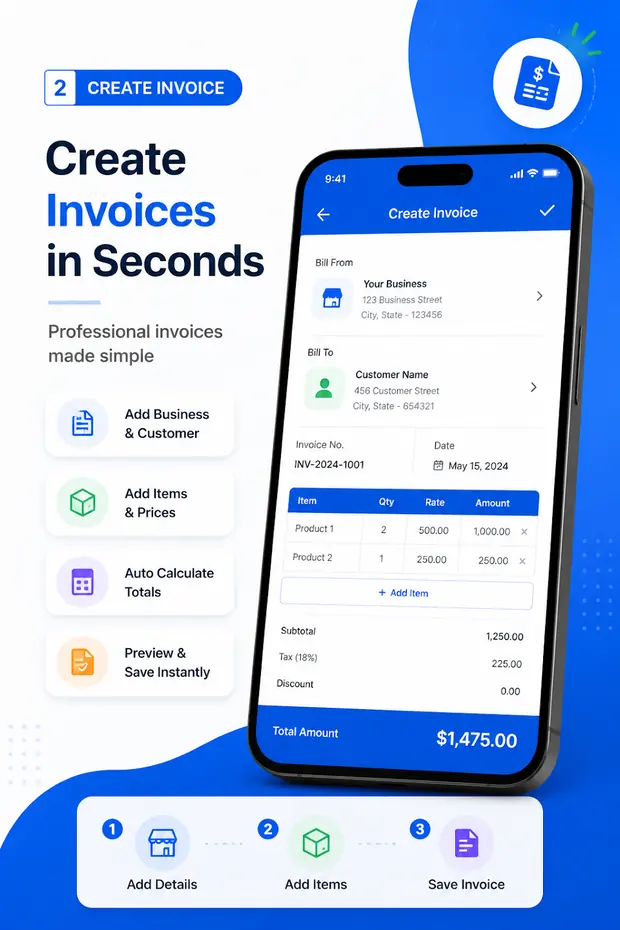
Invoice & Quotation Generator creates the waybill or delivery note at dispatch and the invoice for accounts, with the customer details entered once.
- Waybills, invoices, receipts and quotations
- Customer details saved for reuse
- Export as PDF, then print or share
- Free, with unlimited documents
Make the document now
Free invoice, receipt, quotation and waybill tools
Every tool runs in your browser with no signup and downloads an A4 PDF. Your business details are kept in this browser and shared between them.
Free tool
Free invoice creator
Invoices with tax, discount, logo and every currency, as an A4 PDF.
Free tool
Receipt maker
Payment method, amount received, balance due and a PAID stamp.
Free tool
Quotation maker
Valid-until date, deposit to proceed, scope and terms.
Free tool
Waybill maker
Sender, receiver, carrier, packages and weight for a delivery.
Free tool
Bill generator
Itemised bills for shops, restaurants and services.
Free tool
Tax invoice generator
GST, VAT or sales tax as its own line, per invoice or per item.
Free tool
Invoice templates (Word)
Six editable .docx invoice layouts to download.
Free tool
Android app
Invoices, receipts, quotations and waybills on your phone.
Questions
Delivery note FAQ
What is a delivery note?
A delivery note is a document a supplier sends with an order listing what is being delivered — items, quantities and the order it relates to — so the customer can check the goods against it and sign to confirm receipt. It normally shows no prices.
Is a delivery note the same as a waybill?
Essentially yes. “Delivery note” is the term used in the UK, Europe and much of Africa for the supplier’s copy of what a courier would call a waybill or consignment note. The waybill maker and this delivery note generator are the same tool with different default labels.
Is a delivery note the same as an invoice?
No. The delivery note lists what was delivered; the invoice asks for payment. They are often sent together, but a customer signs the delivery note and pays the invoice. See delivery note vs invoice.
Can I make a delivery note in Word or Excel?
You can, but a template breaks easily and needs exporting to PDF every time. The generator above produces the PDF directly, keeps your supplier details in your browser for reuse and needs no spreadsheet formulas.
Do I need to sign a delivery note?
The customer signs it on receipt; the driver often signs on collection. The signed copy is your proof of delivery, so keep it — photograph it if it is paper.
Can I create delivery notes on Android?
Yes. Invoice & Quotation Generator creates waybills and delivery notes on Android alongside invoices, receipts and quotations, and exports each one as a PDF.