Free · No signup · PDF download
Tax Invoice Generator – Create GST and VAT Invoices Free
Show tax the way a tax invoice needs to show it: your registration number, the taxable value, the rate and the tax amount as separate lines. One rate for the invoice or a different rate per item.
- GST, VAT or sales tax as its own line
- One rate, or a rate per line
- Tax numbers for both parties
- Instant PDF download, no account
Online Tax Invoice Generator
Fill in the tax invoice below. Tax is switched on at one rate for the whole invoice — rename it GST, VAT or Sales Tax and set your rate in the settings, or choose a rate per line. Nothing you type is sent to us.
Download or print
Invoice settings
 Create invoices regularly?
Invoices, receipts, quotations and waybills on your phone.
Get the Android app| $0.00 |
- No signup or login
- Instant PDF download
- Processed in your browser
- Free, with no invoice limit
01
What a tax invoice adds to an ordinary invoice
A tax invoice is an ordinary invoice with the information a tax authority needs in order to let your customer reclaim the tax you charged. The specifics vary between countries, but the pattern is consistent.
- The supplier’s tax registration number — VAT number, GSTIN, ABN, TRN or the local equivalent.
- The customer’s registration number, where the customer is registered.
- A unique sequential number and the date of issue.
- A description of each item with its taxable value shown before tax.
- The rate applied and the tax amount, stated separately from the net value.
- The total including tax.
- In many jurisdictions, the words “Tax Invoice” on the face of the document.
02
Setting tax up in the invoice creator
Put your registration number on the invoice
The From block has a field for your tax, VAT, GST or TRN number, and the customer block has one for theirs.
Choose how tax is applied
One rate on the whole invoice suits a business where everything is taxed the same way. A rate per line item adds a tax column so each line can differ — necessary when you mix standard-rated and zero-rated goods.
Rename the label
Set it to VAT, GST, Sales Tax or your local term. The label is used both on screen and in the PDF, including the column heading in per-item mode.
Check the tax line
The totals block shows the subtotal, the tax as its own line with the rate, and the total. In per-item mode the tax line is the sum of the tax on each row.
03
GST, VAT and sales tax — the practical differences
| System | Where | What the invoice typically needs |
|---|---|---|
| VAT | UK, EU, much of Africa and Asia | Supplier VAT number, tax point date, net value, VAT rate and amount per rate, total. Customer VAT number for cross-border business supplies. |
| GST | India, Australia, New Zealand, Canada, Singapore | Supplier and customer registration numbers, serial number, taxable value, rate and amount. India additionally requires HSN/SAC codes and a split into CGST/SGST or IGST. |
| Sales tax | United States | Charged at the point of sale and varies by state and locality. Shown as a separate line; there is generally no federal invoice format. |
If you need CGST and SGST shown as two separate lines, use per-item tax and add a second line for the same item, or note the split in the notes field — and confirm the presentation with your accountant before issuing it.
Every amount is rounded to two decimal places at the point it is calculated, and the line amounts are summed as whole minor units. That means the subtotal, tax and total always add up exactly as printed — you will not find an invoice that is a cent out because of floating-point drift.
Tax on invoices, receipts and quotations from your phone
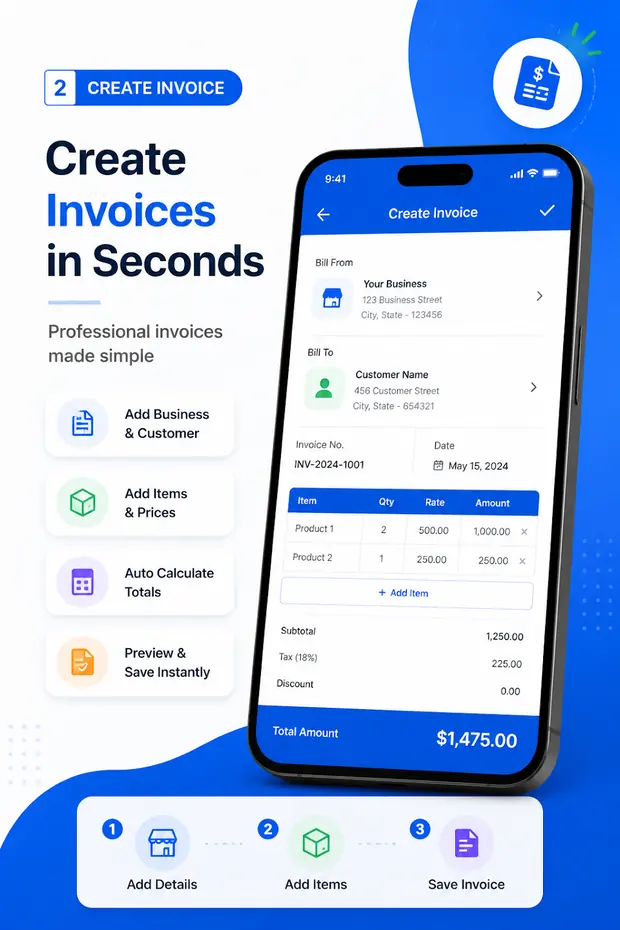
Invoice & Quotation Generator applies taxes and discounts to every document type it creates, and keeps your business details — including your registration number — ready for the next one.
- Taxes and discounts on every document
- Automatic totals
- Business details saved once and reused
- PDF export, printing and sharing
Make the document now
Free invoice, receipt, quotation and waybill tools
Every tool runs in your browser with no signup and downloads an A4 PDF. Your business details are kept in this browser and shared between them.
Free tool
Free invoice creator
Invoices with tax, discount, logo and every currency, as an A4 PDF.
Free tool
Receipt maker
Payment method, amount received, balance due and a PAID stamp.
Free tool
Quotation maker
Valid-until date, deposit to proceed, scope and terms.
Free tool
Waybill maker
Sender, receiver, carrier, packages and weight for a delivery.
Free tool
Bill generator
Itemised bills for shops, restaurants and services.
Free tool
Invoice templates (Word)
Six editable .docx invoice layouts to download.
Free tool
Android app
Invoices, receipts, quotations and waybills on your phone.
FAQ
Tax invoice questions
What makes an invoice a tax invoice?
A tax invoice states the tax charged as a separate amount and identifies the supplier as a registered taxpayer, normally by printing the registration number on the document. Most tax authorities also require the words “Tax Invoice” and the customer’s registration number where the customer is registered. The exact rules depend on your country.
Can I create a GST invoice with this tool?
You can produce a document containing the elements a GST invoice needs: your GSTIN, the customer’s GSTIN, a unique serial number, the date, item descriptions, taxable value and the GST amount. India also requires an HSN or SAC code per line, which you can put in the optional detail line under each item. Check the current rules for your registration type before you rely on it.
How do I show VAT on an invoice?
Set the tax label to VAT, choose whether the rate applies to the whole invoice or per line, and enter the rate. The subtotal, VAT amount and total appear as separate lines, which is what VAT rules generally require. Add your VAT number under your business details.
Can different items have different tax rates?
Yes. Choose A rate per line item and a tax percentage column appears in the table, so standard-rated, reduced-rated and zero-rated items can sit on the same invoice.
How is tax calculated when there is also a discount?
The discount is applied first, and tax is calculated on the discounted value. With per-line tax rates the discount is spread across the lines in proportion to their value, so each line is taxed on what the customer actually pays for it.
Is this tax advice?
No. This page explains how to enter tax on the document. Which rate applies, whether you must register, and what your invoices must show are matters for your own tax authority or your accountant.