Free · Editable · No signup

Free Invoice Templates in Microsoft Word (DOCX)

Six customisable invoice templates as Word files — standard, freelance, VAT/GST tax invoice, contractor, proforma and commercial — each a clean single page with marked spaces for your logo, details and line items. Download, edit, print or save as PDF.

Free · Editable · No signup

Free invoice templates in Microsoft Word (DOCX)

Six customisable invoice templates as Word files: a standard invoice, a freelance invoice, a VAT/GST tax invoice, a contractor invoice, a proforma invoice and a commercial invoice for exports. Download, add your logo and details, fill in the lines, and print or save as PDF.

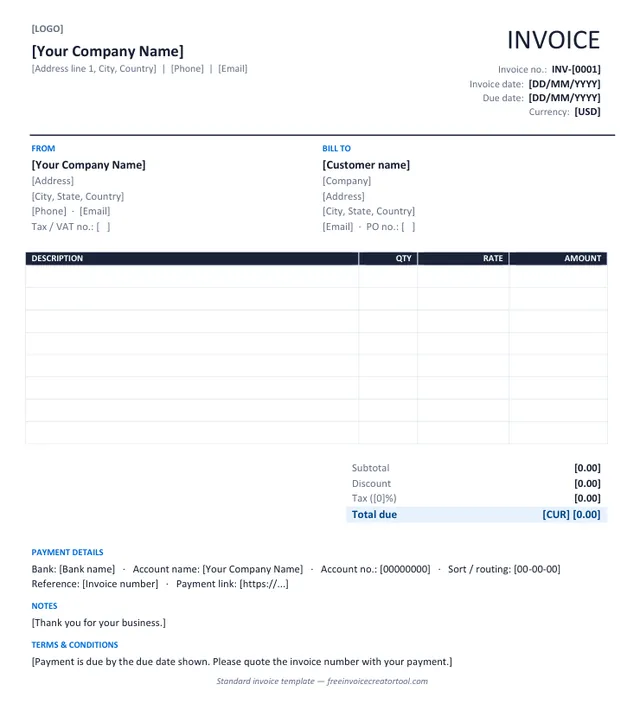
Preview of the standard invoice template in Microsoft Word

Template 1 · Word .docx

Standard invoice

Products or services, one tax rate, a discount line and payment details — the layout most businesses need.

  • From and Bill To blocks with tax and PO numbers
  • Description, quantity, rate and amount columns
  • Subtotal, discount, tax and total due
  • Bank details and payment link
  • Notes and terms
Download .docx
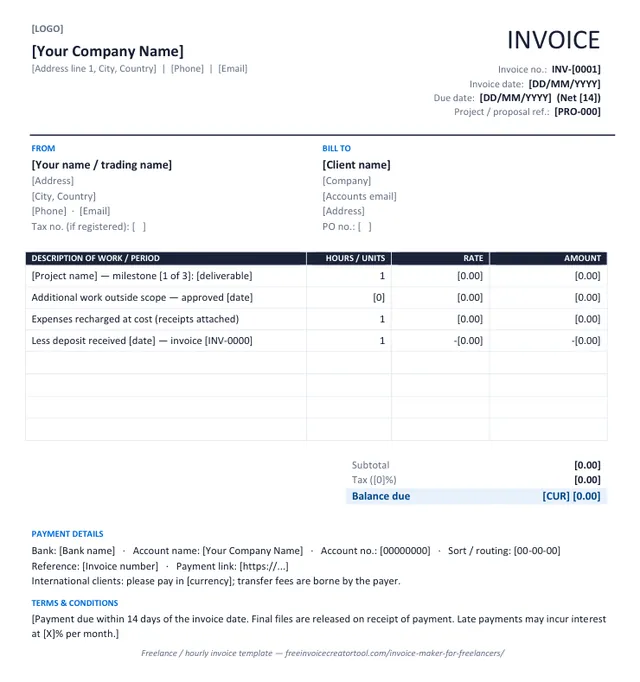
Preview of the freelance / hourly invoice template in Microsoft Word

Template 2 · Word .docx

Freelance / hourly invoice

Milestones, hourly work, recharged expenses and a deposit deduction on the face of the invoice.

  • Project or proposal reference
  • Hours or units with rate
  • Out-of-scope work approved on a date
  • Expenses recharged at cost
  • Deposit already received shown as a deduction
Download .docx
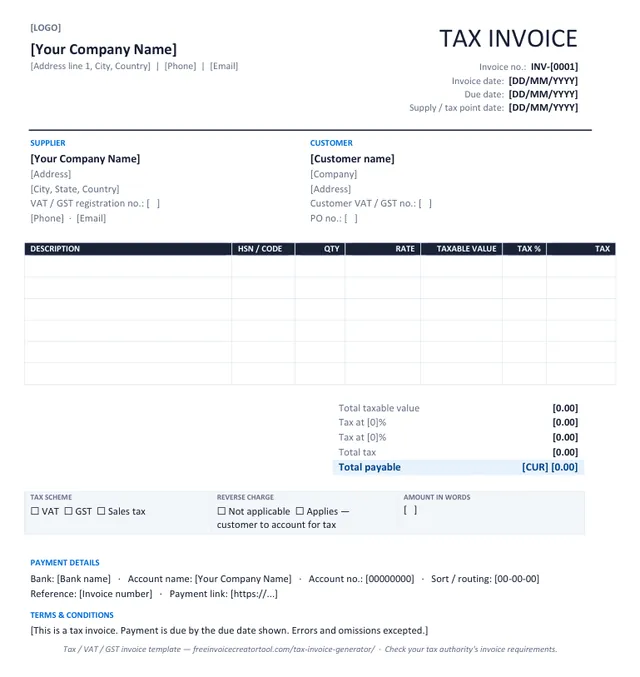
Preview of the tax invoice (vat / gst) template in Microsoft Word

Template 3 · Word .docx

Tax invoice (VAT / GST)

Registration numbers, taxable value, a tax rate per line and net, tax and gross totals.

  • Supplier and customer VAT / GST numbers
  • Supply / tax point date
  • HSN or product code column
  • Tax % and tax amount per line, totals by rate
  • Reverse-charge and amount-in-words boxes
Download .docx
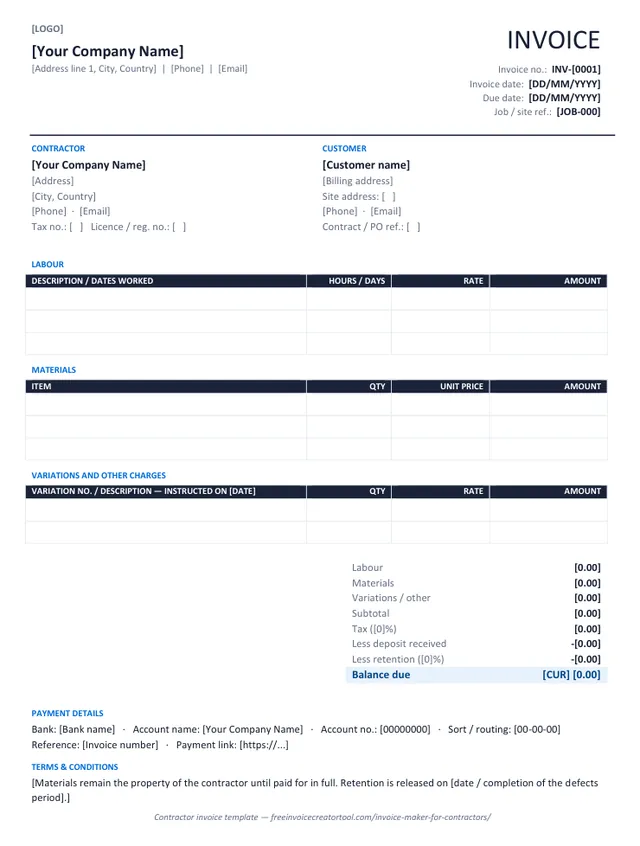
Preview of the contractor invoice template in Microsoft Word

Template 4 · Word .docx

Contractor invoice

Labour, materials and variations in separate sections, with deposit and retention deducted.

  • Job / site reference and site address
  • Labour table with hours or days
  • Materials table with unit prices
  • Numbered variations with instruction dates
  • Deposit and retention deductions
Download .docx
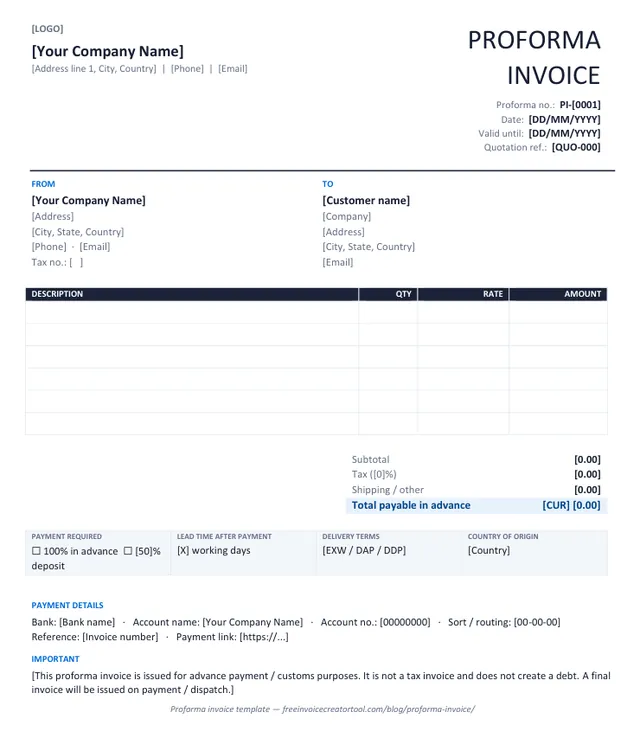
Preview of the proforma invoice template in Microsoft Word

Template 5 · Word .docx

Proforma invoice

Advance payment or customs: the invoice as it will look, with a validity date and a not-a-tax-invoice note.

  • Proforma number and quotation reference
  • Valid-until date
  • Payment required and lead time
  • Delivery terms and country of origin
  • Statement that no debt is created
Download .docx
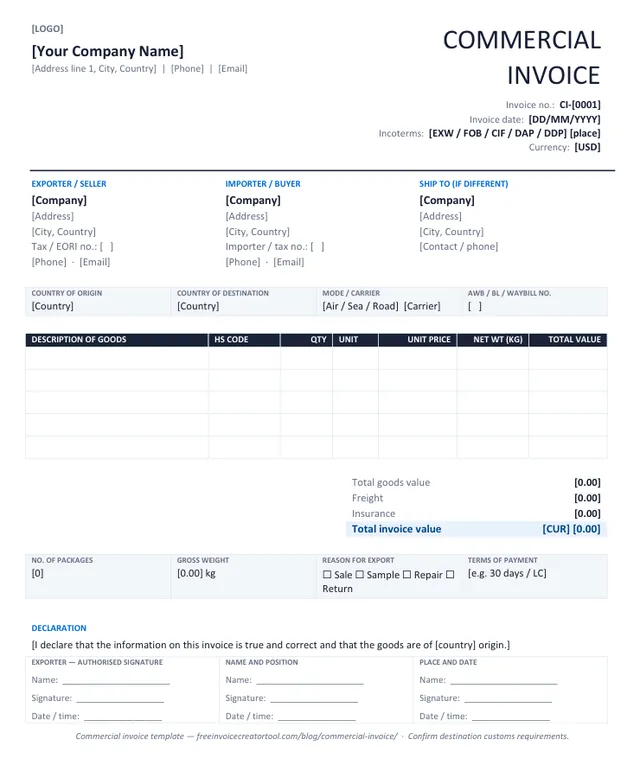
Preview of the commercial invoice (export) template in Microsoft Word

Template 6 · Word .docx

Commercial invoice (export)

Cross-border shipments: HS codes, origin and destination, Incoterms, weights and a signed declaration.

  • Exporter, importer and ship-to parties
  • Incoterms and transport reference
  • HS code, unit and net weight per line
  • Freight and insurance lines
  • Exporter declaration and signature
Download .docx

Customising in Word

Make a template yours in four steps

  1. Overwrite the bracketed text — company, address, invoice number, dates, currency — and delete the brackets.
  2. Insert your logo over the [LOGO] marker (Insert → Pictures, in line with text, about 3 cm high).
  3. Save it as your master copy (File → Save As → Word Template) so each new invoice starts with your details.
  4. Fill in the lines, type the totals, and Save As PDF before sending — never send the editable file.

Prefer the totals done for you? The free invoice creator produces the same document as a PDF with the arithmetic built in.

Know the difference

Word template or online invoice generator?

Word template

  • A file you own and can restyle freely
  • Works offline and inside your existing paperwork
  • You type the line amounts and totals yourself
  • Export to PDF is a separate step
  • Best when the invoice must match a company document standard

Online invoice creator

  • Fill in the sheet; layout cannot break
  • Line amounts, discount, tax and total calculated for you
  • Every currency; per-line or per-invoice tax
  • Output is already an A4 PDF, or prints directly
  • Best for speed — an invoice in two minutes

See also building a reusable template in the creator and invoicing from a spreadsheet.

Invoices on your phone, no template needed

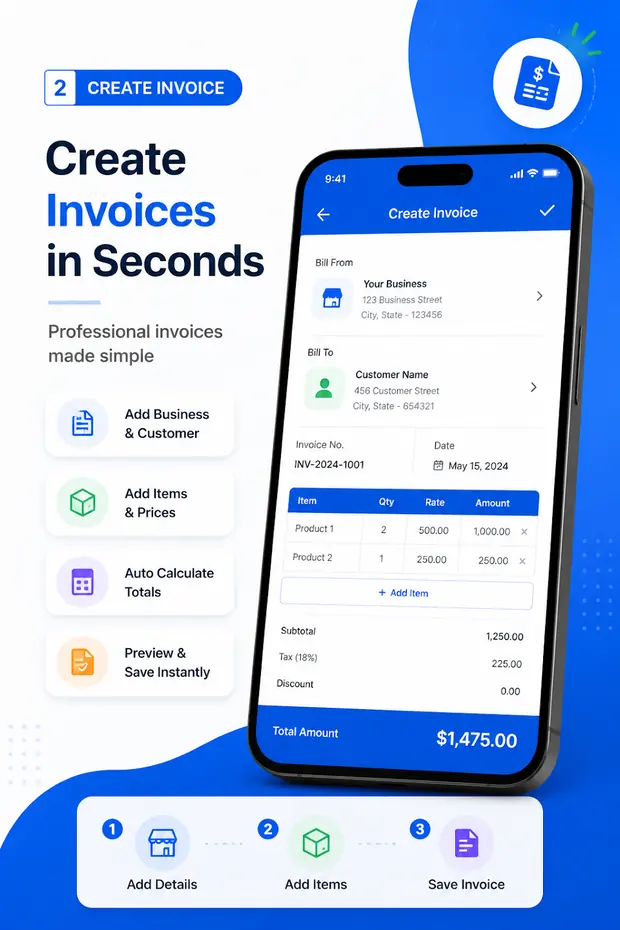
Invoice & Quotation Generator creates invoices, receipts, quotations and waybills on Android with your business details saved once, and exports each one as a PDF.

  • Invoices, receipts, quotations and waybills
  • Business and customer details saved for reuse
  • Taxes, discounts and automatic totals
  • Export as PDF, then print or share
  • Free, with unlimited documents
Get the Android app
Invoice & Quotation Generator app creating an invoice on an Android phone

Questions

Invoice template FAQ

Are the invoice templates free?

Yes. All six download as ordinary Word files with no signup, no watermark and no licence fee.

Do they work in Google Docs, LibreOffice or Pages?

Yes. They are plain .docx files — tables and text, no macros, no fields — so they open and edit in any modern word processor. Google Docs converts them on upload.

Do the templates calculate totals?

No — a Word document does not do arithmetic. Type the line amounts and totals yourself, or use the free invoice creator, which calculates everything and downloads the PDF.

Which template should I use?

Standard for most sales; freelance when you bill by milestone or hour with a deposit; tax invoice when you are VAT or GST registered; contractor when labour and materials need separating; proforma for payment in advance or customs; commercial invoice for goods crossing a border.

How do I add my logo?

Click the [LOGO] marker, then Insert → Pictures, choose your file, and set it to In line with text at about 3 cm high. Save the result as your master copy.

Can I change the currency?

Yes — the currency is plain text. Replace [CUR] and [USD] with your own code or symbol wherever they appear.

Related pages