Free · No signup · PDF download

Invoice Template Generator – Build Your Own Invoice Layout

Set your logo, business details, currency, tax treatment and standard terms once, and reuse them on every invoice. No spreadsheet formulas to maintain and nothing to break.

  • Your logo, details and terms remembered
  • Currency and tax setup saved
  • Word templates to download too
  • Instant PDF download, no account

Build Your Invoice Template Online

Fill in your business details, logo, currency, tax setup and standard terms once — this browser remembers them, so every new invoice starts from your template. Then add the customer and the lines, and download the PDF. Nothing you type is sent to us.

Upload logo

PNG, JPG or WebP.
Up to 2 MB.

From

Bill To

Invoice line items
Item description Qty Rate Amount Remove
$0.00
$0.00
$0.00

Subtotal $0.00

Total $0.00

Everything above stays in this browser tab. Do you want to save invoices for later use? Download the mobile app

Download or print

Invoice settings

Invoice & Quotation Generator Android app icon Create invoices regularly?

Invoices, receipts, quotations and waybills on your phone.

Get the Android app
Total$0.00
  • No signup or login
  • Instant PDF download
  • Processed in your browser
  • Free, with no invoice limit

01

Why most people searching for a template actually want a generator

The usual reason for downloading an invoice template is that you want a professional-looking invoice without designing one. The template gets you the layout — and then hands you the parts that go wrong: a SUM range that no longer covers the row you inserted, a tax cell that was hard-coded at last year’s rate, a column that shifted when the description ran long, and an export step to remember every time.

A generator removes all four. The layout cannot be knocked out of alignment, the arithmetic is not yours to maintain, and the output is already the PDF you were going to export anyway.
02

Building a reusable template in the invoice creator

  1. Set the parts that never change

    Logo, business name, address, contact details and tax registration number. These are the fields you would otherwise retype on every invoice.

  2. Choose your defaults

    Currency, tax mode and label, and whether you normally show a discount or a delivery charge.

  3. Write your standing notes and terms

    Bank details or a payment link in the notes; your payment terms, late-payment position and any conditions in the terms field. These are the two fields people most often forget to fill in and most often need.

  4. Leave the variable parts empty

    Customer, invoice number, dates and line items change every time.

  5. Reuse it

    Your browser keeps this as a local draft, so the next time you open the page your details are already there. Fill in the customer and the items, then download.

Remember where the draft lives

The draft is stored by your browser on this device only. Switching browser, switching computer or clearing site data starts you from a blank invoice again. If you want your details available on every device you invoice from, an app that stores them is the better tool.

Free · Editable · No signup

Free invoice templates in Microsoft Word (DOCX)

Six customisable invoice templates as Word files: a standard invoice, a freelance invoice, a VAT/GST tax invoice, a contractor invoice, a proforma invoice and a commercial invoice for exports. Download, add your logo and details, fill in the lines, and print or save as PDF.

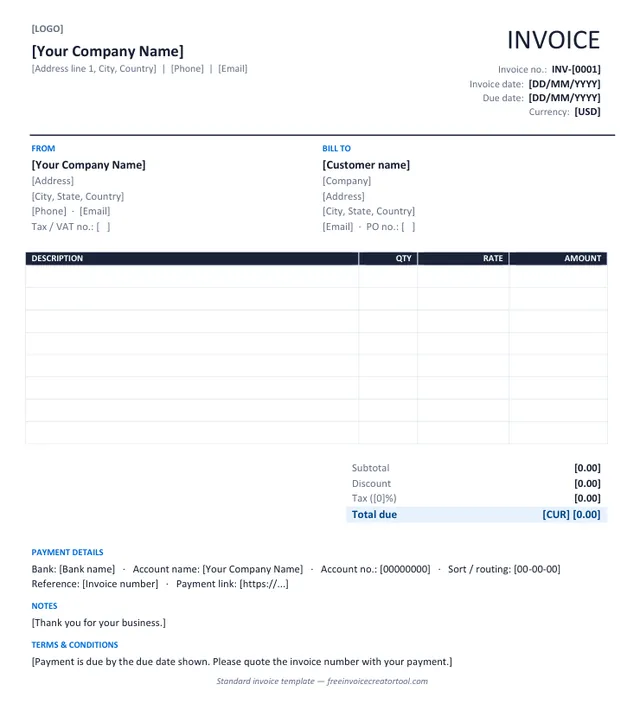
Preview of the standard invoice template in Microsoft Word

Template 1 · Word .docx

Standard invoice

Products or services, one tax rate, a discount line and payment details — the layout most businesses need.

  • From and Bill To blocks with tax and PO numbers
  • Description, quantity, rate and amount columns
  • Subtotal, discount, tax and total due
  • Bank details and payment link
  • Notes and terms
Download .docx
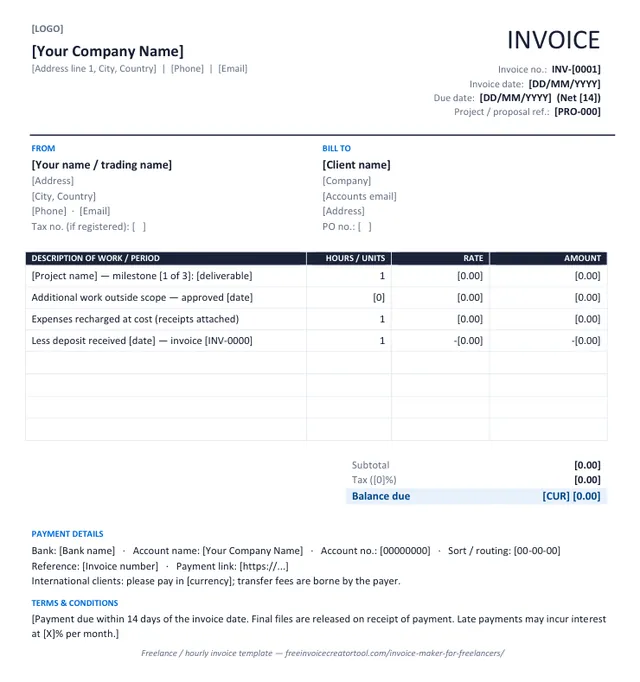
Preview of the freelance / hourly invoice template in Microsoft Word

Template 2 · Word .docx

Freelance / hourly invoice

Milestones, hourly work, recharged expenses and a deposit deduction on the face of the invoice.

  • Project or proposal reference
  • Hours or units with rate
  • Out-of-scope work approved on a date
  • Expenses recharged at cost
  • Deposit already received shown as a deduction
Download .docx
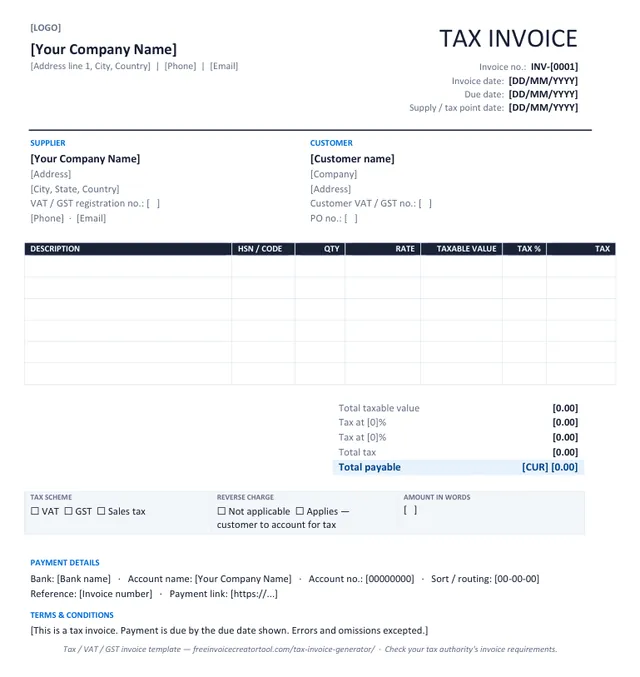
Preview of the tax invoice (vat / gst) template in Microsoft Word

Template 3 · Word .docx

Tax invoice (VAT / GST)

Registration numbers, taxable value, a tax rate per line and net, tax and gross totals.

  • Supplier and customer VAT / GST numbers
  • Supply / tax point date
  • HSN or product code column
  • Tax % and tax amount per line, totals by rate
  • Reverse-charge and amount-in-words boxes
Download .docx
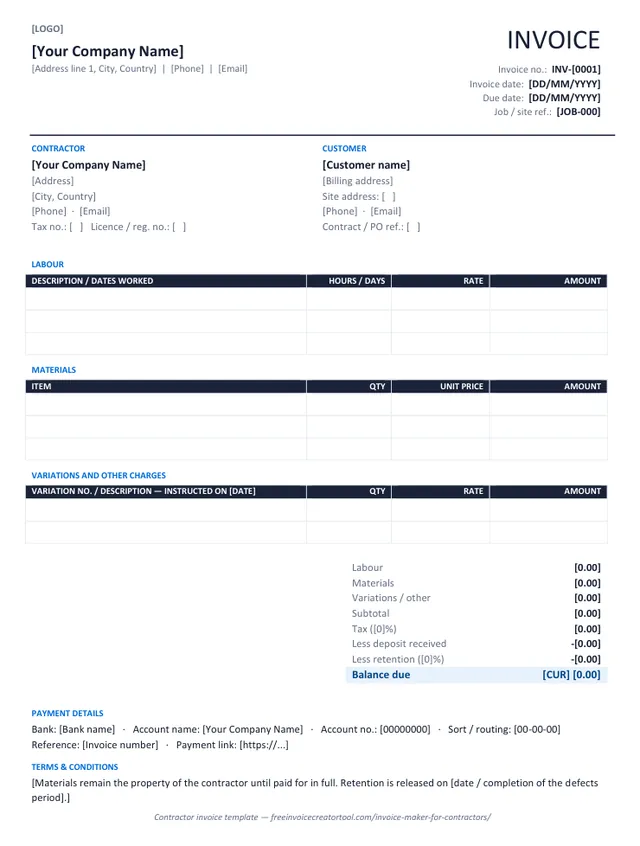
Preview of the contractor invoice template in Microsoft Word

Template 4 · Word .docx

Contractor invoice

Labour, materials and variations in separate sections, with deposit and retention deducted.

  • Job / site reference and site address
  • Labour table with hours or days
  • Materials table with unit prices
  • Numbered variations with instruction dates
  • Deposit and retention deductions
Download .docx
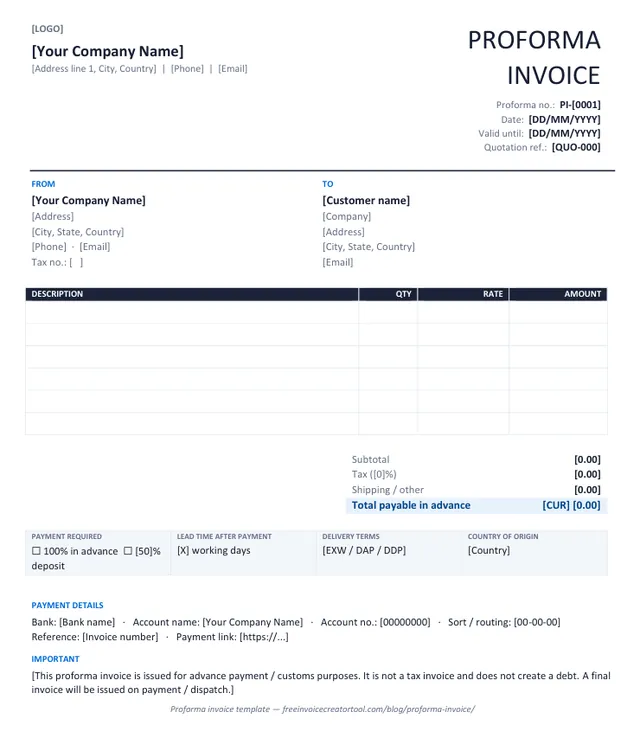
Preview of the proforma invoice template in Microsoft Word

Template 5 · Word .docx

Proforma invoice

Advance payment or customs: the invoice as it will look, with a validity date and a not-a-tax-invoice note.

  • Proforma number and quotation reference
  • Valid-until date
  • Payment required and lead time
  • Delivery terms and country of origin
  • Statement that no debt is created
Download .docx
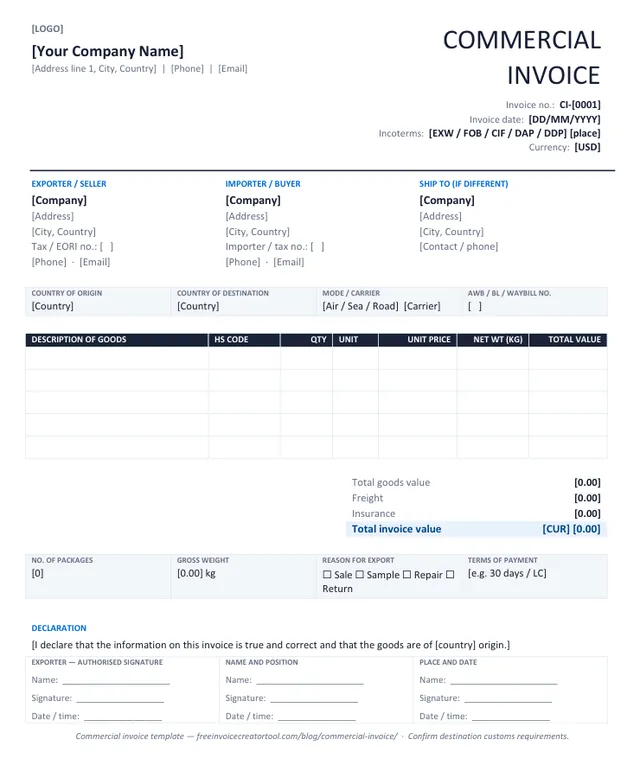
Preview of the commercial invoice (export) template in Microsoft Word

Template 6 · Word .docx

Commercial invoice (export)

Cross-border shipments: HS codes, origin and destination, Incoterms, weights and a signed declaration.

  • Exporter, importer and ship-to parties
  • Incoterms and transport reference
  • HS code, unit and net weight per line
  • Freight and insurance lines
  • Exporter declaration and signature
Download .docx

Customising in Word

Make a template yours in four steps

  1. Overwrite the bracketed text — company, address, invoice number, dates, currency — and delete the brackets.
  2. Insert your logo over the [LOGO] marker (Insert → Pictures, in line with text, about 3 cm high).
  3. Save it as your master copy (File → Save As → Word Template) so each new invoice starts with your details.
  4. Fill in the lines, type the totals, and Save As PDF before sending — never send the editable file.

Prefer the totals done for you? The free invoice creator produces the same document as a PDF with the arithmetic built in.

01

What a good invoice layout gets right

  • The total is unmistakable. It should be the largest number on the page and the only one boxed or highlighted.
  • The due date is stated as a date. Not “30 days” — an actual date the customer can put in a calendar.
  • The item table breathes. Descriptions that wrap instead of truncating, and right-aligned figures so the decimal points line up down the column.
  • Tax is a separate line. Never rolled into the unit prices.
  • Your contact details are on the document. A query should not require finding the original email.

Several templates, and every document kept together

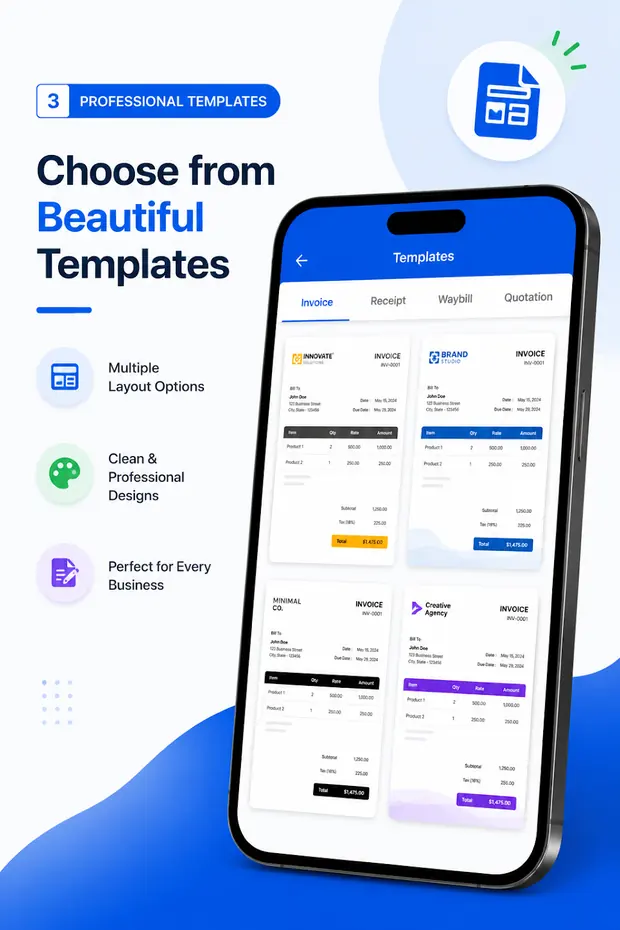
Invoice & Quotation Generator ships with a set of invoice, receipt, waybill and quotation layouts and stores the documents you create, so last month’s invoice is one tap away.

  • Multiple document layouts to choose from
  • Business and customer details saved for reuse
  • Invoices, receipts, quotations and waybills
  • PDF export, print and share
Get the Android app
Invoice, receipt, waybill and quotation templates in the Invoice & Quotation Generator Android app

FAQ

Invoice template questions

What is the difference between an invoice template and an invoice generator?

A template is a file you edit — you keep the formulas working and export the PDF yourself. A generator is a tool you fill in, which calculates the totals and produces the finished PDF. A template is the better choice when you need the editable file; a generator is better when you need the document.

Can I create my own invoice template here?

You can build your own standing layout: enter your business details, logo, currency, tax setup, notes and terms once, and the browser keeps them as a local draft. Each new invoice then only needs the customer, the number and the line items.

Where is my template saved?

In your own browser’s local storage, on the device you are using. It is not uploaded, and it is not available on your other devices. Clearing your browser data or using Clear invoice removes it.

Can I have more than one template?

The web tool keeps one working draft per browser. If you need several — different branding, different currencies, different document types — Invoice & Quotation Generator on Android stores multiple templates and every document you create.

Do I need Word or Excel?

No. Nothing is downloaded or installed and there is no spreadsheet to maintain. If you do want a Word file, there are six free invoice templates in .docx; and creating an invoice in Excel covers the spreadsheet approach and its pitfalls.