Free · No signup · PDF download

Free Invoice Creator – Create Professional Invoices Online

Use this free invoice generator to create a professional invoice in minutes. Add your business and customer details, list your products or services, apply tax and discounts, and download the finished invoice as a PDF or print it. No account, no login, no watermark — the invoice maker works on desktop and mobile.

  • Unlimited invoices, free
  • Logo, tax and discounts
  • Every currency
  • Instant A4 PDF

Online Invoice Generator

Fill in the invoice maker below — totals calculate as you type — then download your PDF invoice or print it. Nothing you type is sent to us.

Upload logo

PNG, JPG or WebP.
Up to 2 MB.

From

Bill To

Invoice line items
Item description Qty Rate Amount Remove
$0.00
$0.00
$0.00

Subtotal $0.00

Total $0.00

Everything above stays in this browser tab. Do you want to save invoices for later use? Download the mobile app

Download or print

Invoice settings

Invoice & Quotation Generator Android app icon Create invoices regularly?

Invoices, receipts, quotations and waybills on your phone.

Get the Android app
Total$0.00
  • No signup or login
  • Instant PDF download
  • Processed in your browser
  • Free, with no invoice limit

What you get

Everything a free invoice generator should include

The tool above is a complete online invoice maker, not a template. Each feature works in the browser, on the printed page and in the PDF you download.

Invoice generator with logo

Upload a PNG, JPG or WebP logo. It sits at the top of the invoice and in the PDF, resized on your own device.

Tax, VAT and GST

One rate across the invoice or a different rate per line, with the label renamed to whatever your country uses.

Discounts and extra charges

Percentage or fixed discounts applied before tax, plus a shipping or delivery line when you need one.

Every currency

All 154 ISO currencies, from USD, EUR and GBP to NGN, INR, KES and AED, with the code named on the total.

PDF invoice download

A crisp A4 PDF with real, selectable text and clean page breaks, named after your invoice number.

Print-ready invoices

Print the invoice on its own — no menus, buttons or page content — straight from the browser.

Editable titles and labels

Retitle the sheet Tax Invoice, Bill or Receipt and rename the number and date fields to match.

No signup, processed locally

Totals, logo and PDF are all handled in your browser. Nothing you type is sent to a server.

Step by step

How to create an invoice online in 7 steps

Here is how to create an invoice online for free with the generator above. It follows the same order a finished invoice reads in, so you can work straight down the sheet.

  1. 1

    Enter your business details

    Your trading name, address, email and phone go in the From block. Upload your logo if you have one, and add your VAT, GST or sales tax number if you are registered — in many countries an invoice is not valid without it.

  2. 2

    Add the customer under Bill To

    Use the name the customer pays under. For a business customer include the registered company name and, where it applies, their tax number — that is what lets their accounts team match your invoice to a purchase order.

  3. 3

    Set the number, dates and currency

    The number starts at INV-001 and is editable — keep it unique and sequential. The due date starts two weeks after the invoice date and can be changed. Pick from every ISO currency, and retitle the sheet if you need a Tax Invoice or a Bill.

  4. 4

    List your products or services

    One line per item, described specifically — “Homepage redesign, 12 hours” is easier to approve than “Design work”. Use the detail line beneath for dates or reference numbers.

  5. 5

    Set quantity and rate

    Each line amount is calculated as quantity × rate. Decimals work, so 7.5 hours at 40.00 gives 300.00. Add as many lines as the job needs.

  6. 6

    Apply tax, a discount or delivery

    Choose one tax rate for the whole invoice or a rate per line, and rename the label to VAT or GST. A discount can be a percentage or a fixed amount and is taken off before tax.

  7. 7

    Review the total, then download or print

    Check the subtotal, tax and total, then choose Download PDF for an A4 file or Print invoice to print the document on its own.

  8. Prefer Word?

    Six editable invoice templates in .docx — standard, freelance, tax invoice, contractor, proforma and commercial — are just below.

    Download the templates

Free · Editable · No signup

Free invoice templates in Microsoft Word (DOCX)

Six customisable invoice templates as Word files: a standard invoice, a freelance invoice, a VAT/GST tax invoice, a contractor invoice, a proforma invoice and a commercial invoice for exports. Download, add your logo and details, fill in the lines, and print or save as PDF.

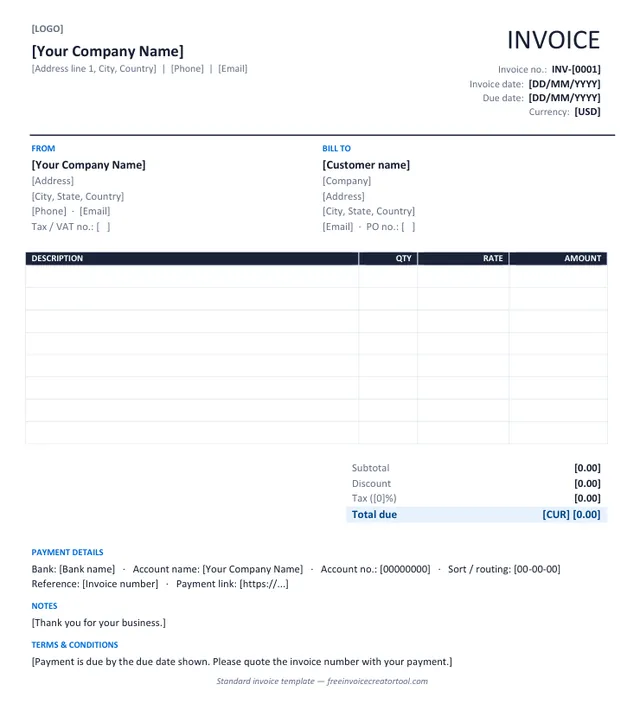
Preview of the standard invoice template in Microsoft Word

Template 1 · Word .docx

Standard invoice

Products or services, one tax rate, a discount line and payment details — the layout most businesses need.

  • From and Bill To blocks with tax and PO numbers
  • Description, quantity, rate and amount columns
  • Subtotal, discount, tax and total due
  • Bank details and payment link
  • Notes and terms
Download .docx
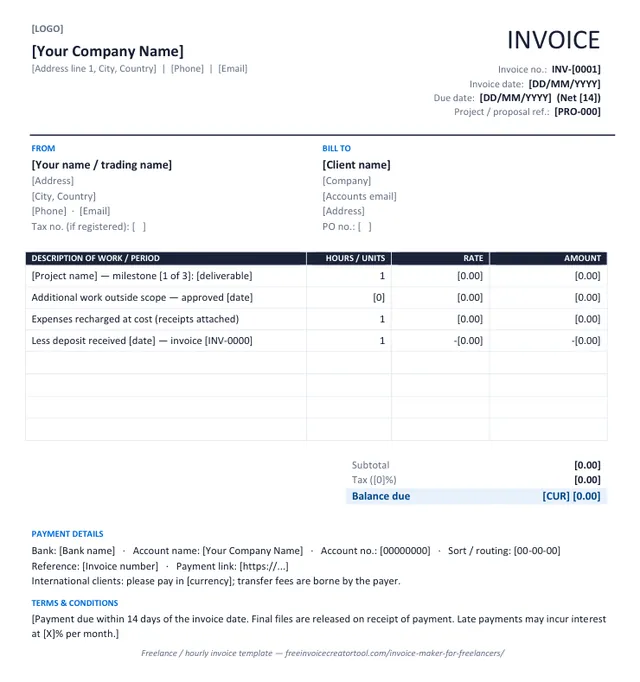
Preview of the freelance / hourly invoice template in Microsoft Word

Template 2 · Word .docx

Freelance / hourly invoice

Milestones, hourly work, recharged expenses and a deposit deduction on the face of the invoice.

  • Project or proposal reference
  • Hours or units with rate
  • Out-of-scope work approved on a date
  • Expenses recharged at cost
  • Deposit already received shown as a deduction
Download .docx
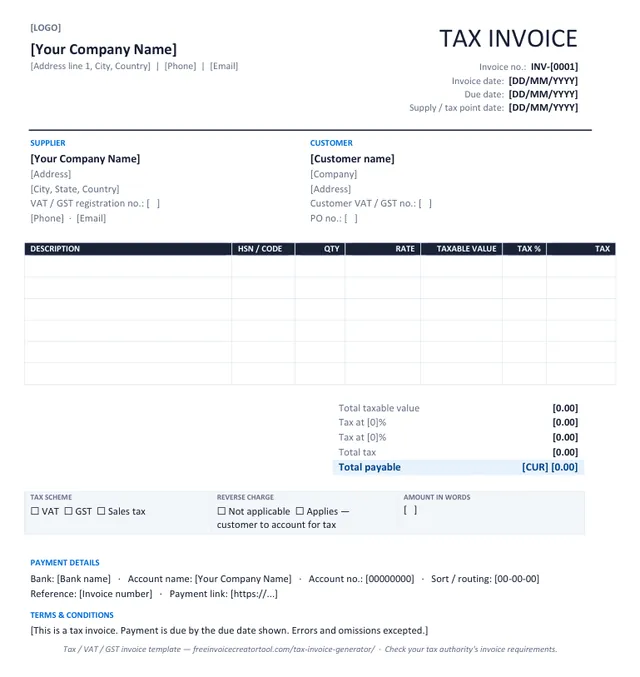
Preview of the tax invoice (vat / gst) template in Microsoft Word

Template 3 · Word .docx

Tax invoice (VAT / GST)

Registration numbers, taxable value, a tax rate per line and net, tax and gross totals.

  • Supplier and customer VAT / GST numbers
  • Supply / tax point date
  • HSN or product code column
  • Tax % and tax amount per line, totals by rate
  • Reverse-charge and amount-in-words boxes
Download .docx
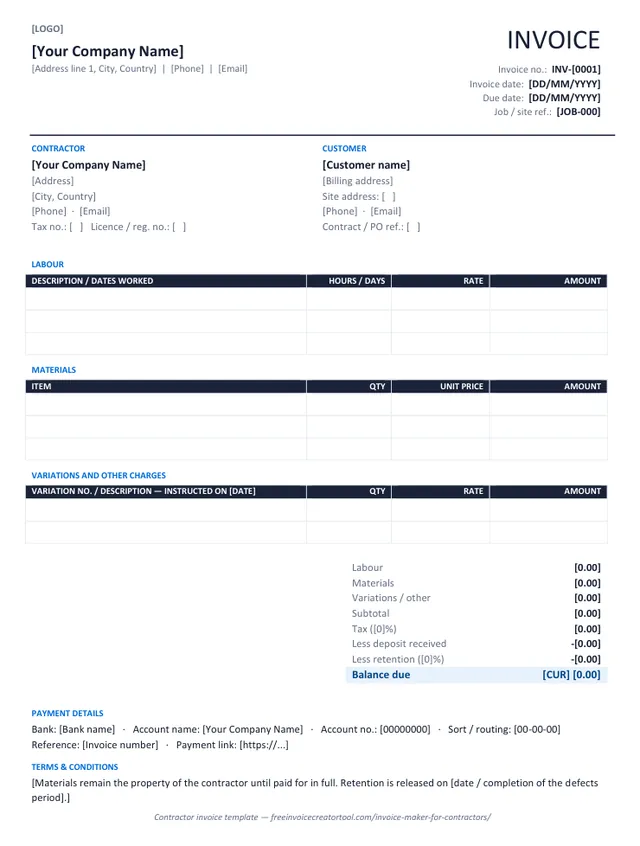
Preview of the contractor invoice template in Microsoft Word

Template 4 · Word .docx

Contractor invoice

Labour, materials and variations in separate sections, with deposit and retention deducted.

  • Job / site reference and site address
  • Labour table with hours or days
  • Materials table with unit prices
  • Numbered variations with instruction dates
  • Deposit and retention deductions
Download .docx
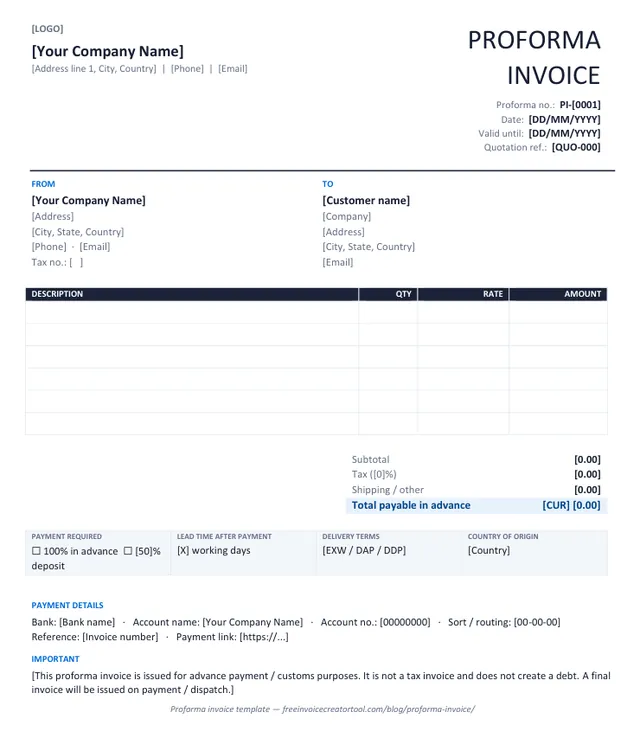
Preview of the proforma invoice template in Microsoft Word

Template 5 · Word .docx

Proforma invoice

Advance payment or customs: the invoice as it will look, with a validity date and a not-a-tax-invoice note.

  • Proforma number and quotation reference
  • Valid-until date
  • Payment required and lead time
  • Delivery terms and country of origin
  • Statement that no debt is created
Download .docx
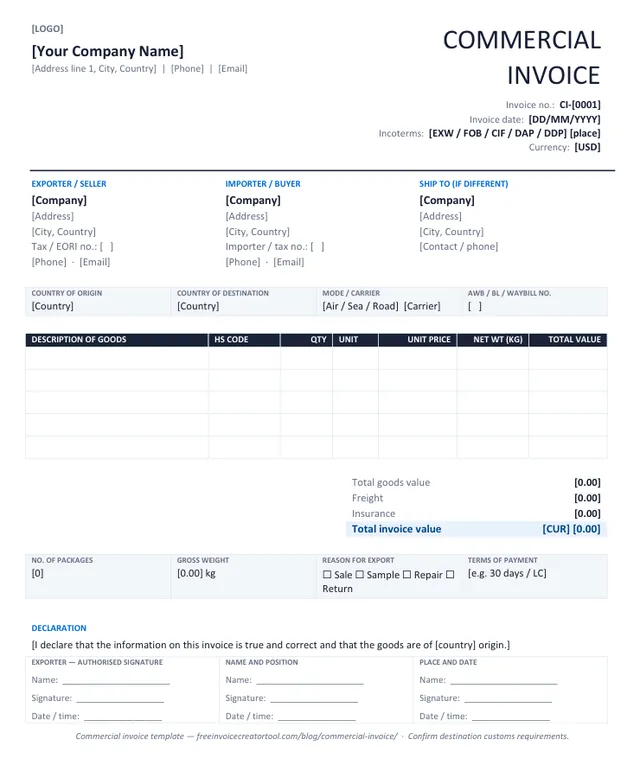
Preview of the commercial invoice (export) template in Microsoft Word

Template 6 · Word .docx

Commercial invoice (export)

Cross-border shipments: HS codes, origin and destination, Incoterms, weights and a signed declaration.

  • Exporter, importer and ship-to parties
  • Incoterms and transport reference
  • HS code, unit and net weight per line
  • Freight and insurance lines
  • Exporter declaration and signature
Download .docx

Customising in Word

Make a template yours in four steps

  1. Overwrite the bracketed text — company, address, invoice number, dates, currency — and delete the brackets.
  2. Insert your logo over the [LOGO] marker (Insert → Pictures, in line with text, about 3 cm high).
  3. Save it as your master copy (File → Save As → Word Template) so each new invoice starts with your details.
  4. Fill in the lines, type the totals, and Save As PDF before sending — never send the editable file.

Prefer the totals done for you? The free invoice creator produces the same document as a PDF with the arithmetic built in.

Invoicing more than once in a while? Continue on Android

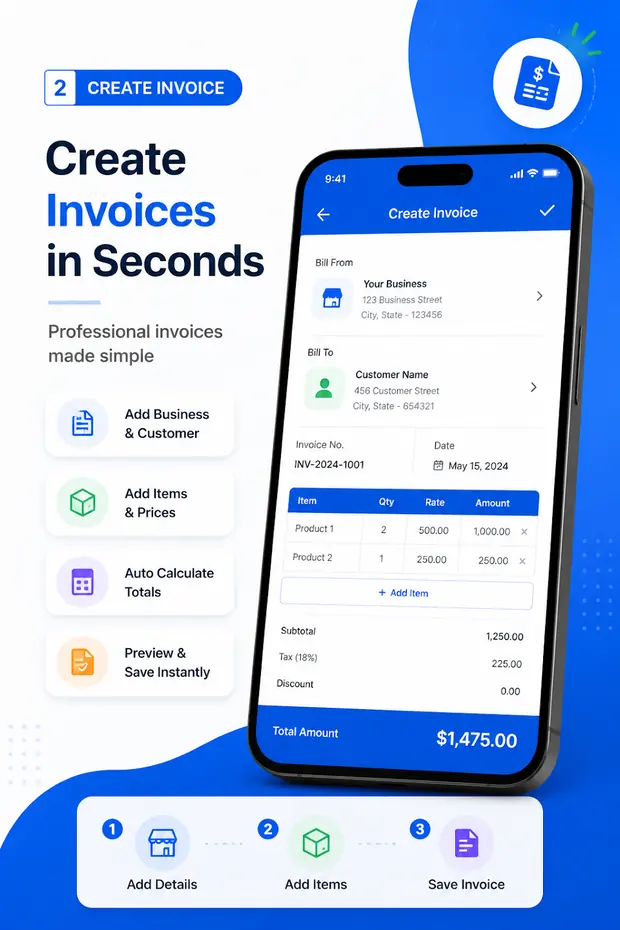
The tool above is built for a quick, one-off invoice in a browser. If you invoice every week, Invoice & Quotation Generator saves your business details, keeps every document in one list and lets you send a PDF from your phone the moment a job is finished.

  • Invoices, receipts, quotations and waybills in one app
  • Business and customer details saved for reuse
  • Line items, taxes, discounts and automatic totals
  • Export as PDF, then print or share
  • Unlimited documents, free to use
Get Invoice & Quotation Generator
Invoice & Quotation Generator app creating an invoice on an Android phone

Anatomy of an invoice

What should an invoice include?

An invoice is a request for payment, and it works best when the person approving it can answer every question without contacting you. These are the parts that do that job — and the invoice generator above has a field for each one.

Requirements vary by country: a VAT invoice in the EU, a GST invoice in India and a tax invoice in Australia each add mandatory fields. See creating a tax or GST invoice and the full invoice checklist.

Parts of an invoice and why each one matters
ElementWhy it matters
The word “Invoice”Separates it from a quotation, a delivery note or a statement. Accounts teams sort by document type.
Your business detailsName, address, email and phone, so the customer knows who to pay and who to contact about a query.
Customer detailsThe legal name and address of whoever is liable for payment. For companies, the registered name.
Invoice numberA unique reference used by both sides. Sequential numbering also makes gaps obvious in an audit.
Invoice date and due dateThe date of issue starts the payment clock; an explicit due date gives you a clear point to chase from.
Itemised linesWhat was supplied, with quantity and unit price on each line, in enough detail to be recognised weeks later.
TaxThe rate, the amount and your registration number where the law requires it. Registered customers need this to reclaim.
DiscountsShown as a separate line so the original price and the concession are both visible.
Total dueOne figure, clearly the largest thing on the page, in a named currency.
Payment details and termsHow to pay and by when. Bank details or a payment link belong in the notes field.

Why it works

Why use a free online invoice generator?

A word processor or spreadsheet can produce an invoice. The reason to use a purpose-built invoice builder is that the parts people get wrong — arithmetic, numbering, formatting — stop being your problem. Generating an invoice online takes a couple of minutes and the document is correct before you send it.

It is faster

No template to hunt for, no cells to reformat. Type the details in the order they appear on the finished document and the invoice is ready.

Totals are calculated for you

Line amounts, subtotal, discount, tax and total update as you type, rounded to two decimals so the parts always add up to the total.

It looks professional

Consistent typography, an aligned item table and your logo at the top. A tidy invoice is quietly reassuring to the person approving it.

An invoice builder, not a blank page

Every field is already where it belongs, so you are filling a structure rather than designing one. That is the difference between an online invoice builder and a template you have to lay out yourself.

PDF is the right format to send

A PDF looks the same on every device, cannot be edited by accident and is what accounts departments expect. See the PDF invoice generator.

Clearer communication

An explicit due date, itemised work and stated payment terms remove the most common reasons an invoice sits unpaid.

Better records

Sequential numbers and dated PDFs make it straightforward to reconcile what you have billed against what has been paid.

Who it is for

Free invoice maker for small businesses and freelancers

Most small operations do not need accounting software to send a bill. They need an accurate, professional invoice out of the door the same day the work finishes — because the date you send it is what the payment clock runs from. Each guide below covers the line items and terms that trade actually uses.

Invoice & Quotation Generator Android app icon Invoice & Quotation Generator for AndroidInvoices, receipts, quotations and waybills from your phone. Install free

Know the difference

Invoice creator vs invoice template

Both start you off with a professional layout. The difference is what happens after that.

An invoice template

  • A file you open in Word, Excel, Google Docs or Sheets
  • You edit the cells yourself, and you maintain the formulas
  • Easy to break: a deleted row can take a SUM range with it
  • You export to PDF as a separate step
  • Useful when you want the file itself, or need to work offline

An invoice creator

  • A tool you fill in; the layout cannot be knocked out of alignment
  • Line amounts, tax and totals are calculated for you
  • Currency, tax label and discount handling are built in
  • The output is a finished PDF
  • Useful when you want the document, not the spreadsheet

Want a reusable layout of your own? Build an invoice template with the same tool.

Invoice vs receipt vs quotation vs waybill

Four documents describe one sale at four different moments. Using the wrong one causes real problems — and Invoice & Quotation Generator creates all four on Android.

Requests payment

Invoice

Issued when work is done or goods delivered. Carries a due date, itemised lines, tax and the amount owed.

Create one above

Confirms payment

Receipt

Issued when the money arrives. Records the amount, date and method paid; no due date, because nothing is outstanding.

Receipt maker guide

Offers a price

Quotation

Issued before the work is agreed, with a valid-until date and exclusions. Once accepted, its lines carry straight onto the invoice.

Quotation maker guide

Travels with goods

Waybill

Lists sender, receiver, items and quantities — usually without prices — and is signed on delivery as proof the goods arrived.

Free waybill maker

Full comparisons: invoice vs receipt · invoice vs quotation · invoice vs estimate

About

About Free Invoice Creator

Free Invoice Creator is a browser-based invoice generator built for one job: letting anyone who needs an invoice make a proper one in a couple of minutes, without an account, a trial or a watermark. You fill in the sheet, it does the arithmetic, and you download an A4 PDF that is yours to send, print or file.

Everything you type is processed on your own device. The totals are calculated in your browser, the logo is resized locally and the PDF is assembled locally — there is no server that receives your invoice, which is why there is nothing to sign up for. The same people publish Invoice & Quotation Generator, a free Android app for businesses that invoice regularly and also need receipts, quotations and waybills.

Read more about the site · How your data is handled · Invoice guides

  • 0accounts, logins or watermarks
  • 154currencies supported
  • A4PDF with real, selectable text
  • 4document types in the Android app

Questions

Free invoice creator FAQ

What is a free invoice creator?

A free invoice creator is a tool that turns the details of a sale — who is billing, who is being billed, what was supplied and at what price — into a finished invoice document. The tool on this page does the arithmetic for you and produces a PDF you can send or print. There is no cost, no trial period and no limit on how many invoices you create.

Can I create an invoice without signing up?

Yes. There is no account, no email address and no login. Open the editor, type your details and download the PDF. The only thing stored is an optional draft kept in your own browser so a refresh does not lose your work.

Can I download my invoice as a PDF?

Yes. Download PDF builds an A4 PDF in your browser and saves it to your device. The text in it is real text rather than a screenshot, so it stays sharp when printed and can be searched or copied. The file is named after your invoice number, for example invoice-INV-001.pdf.

Can I add my business logo?

Yes. Select Upload logo and choose a PNG, JPG or WebP file up to 2 MB. The logo is read by your browser, resized on your device and placed at the top of the invoice and the PDF. It is never uploaded to a server.

Can I create invoices on Android?

Yes. Invoice & Quotation Generator is a free Android app that creates invoices, receipts, quotations and waybills on your phone, keeps your business and customer details for reuse, and exports each document as a PDF. Get it on Google Play.

How do I create an invoice?

Enter your business details, add the customer under Bill To, give the invoice a number and dates, then list what you supplied with a quantity and a rate for each line. Add tax, a discount or a delivery charge if they apply, check the total, and download the PDF. The step-by-step guide covers each field in more detail.

What information should an invoice contain?

At minimum: the word “Invoice”, your business name and contact details, the customer’s name and address, a unique invoice number, the invoice date, the due date, an itemised list of what you supplied with quantities and prices, any tax or discount, and the total amount due. Many countries add their own requirements — a tax registration number, for instance. See what an invoice should include.

Can I add tax and discounts?

Yes. Under Invoice settings you can apply one tax rate to the whole invoice or a different rate to each line, and rename the label to VAT, GST or Sales Tax. Discounts can be a percentage of the subtotal or a fixed amount, and are applied before tax so the tax is calculated on the discounted value.

Is an invoice the same as a receipt?

No. An invoice asks for payment; a receipt confirms that payment has been received. You normally issue an invoice when the work is done or the goods are delivered, and a receipt once the money arrives. See invoice vs receipt, or use the receipt maker guide.

Can I create quotations and waybills too?

The web tool on this page creates invoices. For quotations, receipts and waybills, Invoice & Quotation Generator on Android handles all four document types in one place. The quotation maker and waybill maker pages explain what each document needs.