Free · Editable · No signup

Free Quotation Templates in Microsoft Word (DOCX)

Six customisable quotation and estimate templates as Word files: a standard quotation, a job estimate, a product price quotation, a construction quotation, a project quotation with phases and a quotation with three options. Each is a clean single page with marked spaces for your logo, details, prices and terms. Download, edit, print or save as PDF.

Downloads

The six quotation templates

Each template is a single A4 page in Word. Click a preview to download it, or use the button under the card.

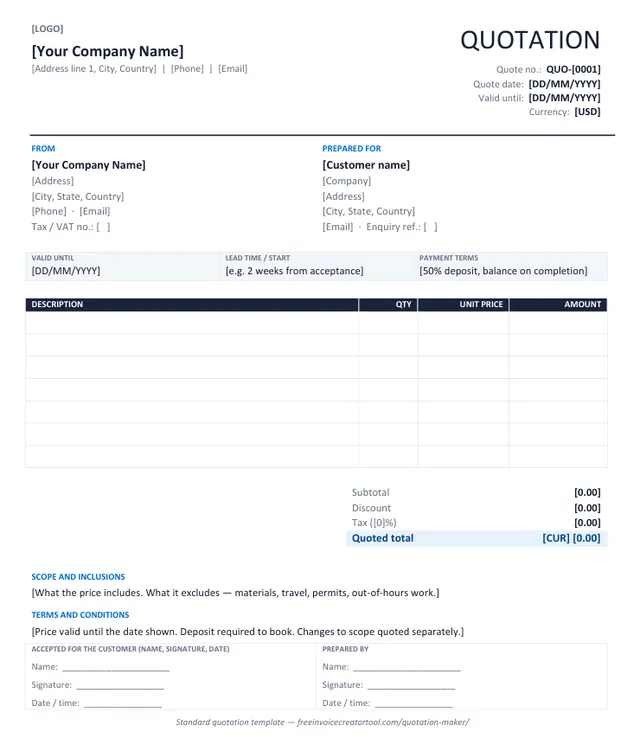
Preview of the standard quotation template in Microsoft Word

Template 1 · Word .docx

Standard quotation

Products or services, one tax rate, a validity date, scope and terms, and an acceptance line. The layout most businesses need.

  • From and Prepared For blocks with tax and enquiry numbers
  • Valid-until, lead time and payment terms strip
  • Description, quantity, unit price and amount columns
  • Subtotal, discount, tax and quoted total
  • Scope, terms and customer acceptance
Download .docx
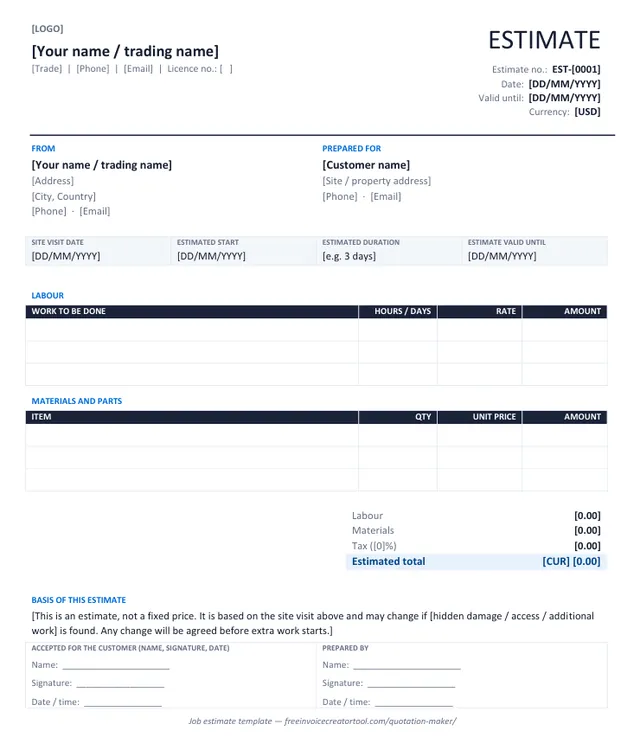
Preview of the job estimate (trades) template in Microsoft Word

Template 2 · Word .docx

Job estimate (trades)

For plumbers, electricians, builders and repairers: labour and materials in separate tables, with a basis-of-estimate note.

  • Site visit date, estimated start and duration
  • Labour table with hours or days and rate
  • Materials and parts table
  • Labour, materials, tax and estimated total
  • Basis-of-estimate statement
Download .docx
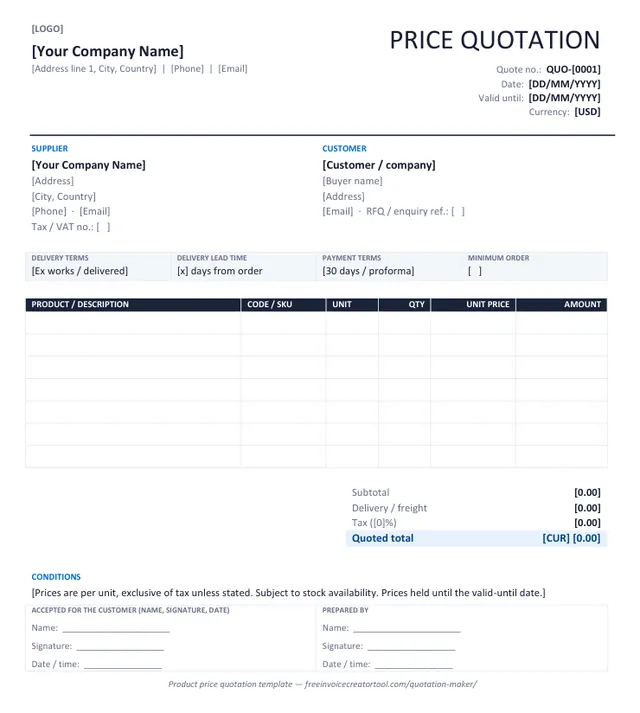
Preview of the product price quotation template in Microsoft Word

Template 3 · Word .docx

Product price quotation

For wholesalers and suppliers answering an RFQ: product codes, units, delivery terms, lead time and minimum order.

  • Supplier and customer with RFQ reference
  • Delivery terms, lead time, payment terms, minimum order
  • Product, code, unit, quantity, unit price and amount
  • Subtotal, freight, tax and quoted total
  • Conditions line
Download .docx
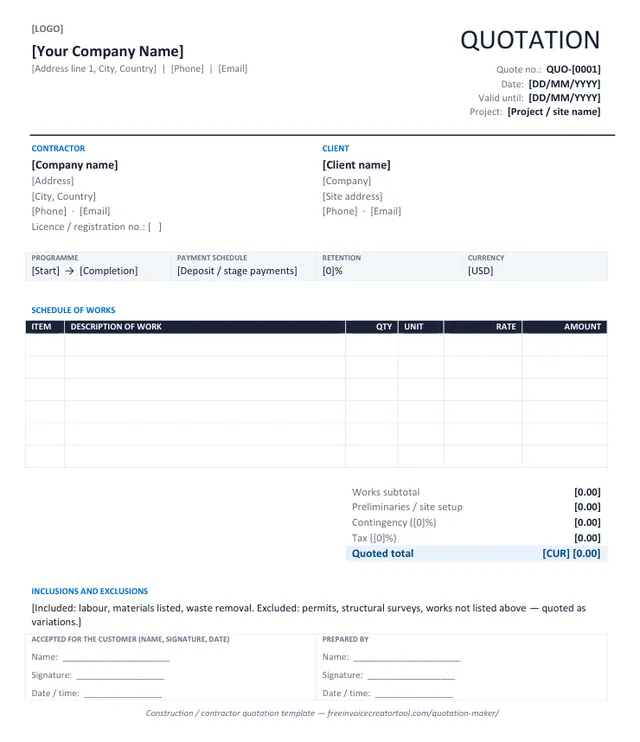
Preview of the construction / contractor quotation template in Microsoft Word

Template 4 · Word .docx

Construction / contractor quotation

A schedule of works with item numbers, quantities and rates, plus preliminaries, contingency and retention.

  • Contractor licence and client site address
  • Programme, payment schedule and retention strip
  • Numbered schedule of works with unit and rate
  • Preliminaries, contingency, tax and total
  • Inclusions and exclusions
Download .docx
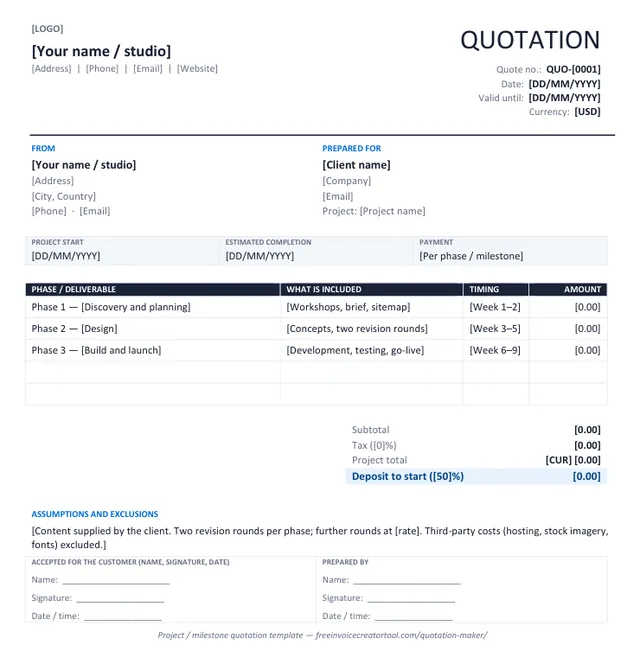
Preview of the project quotation (phases) template in Microsoft Word

Template 5 · Word .docx

Project quotation (phases)

For designers, developers and consultants: phases or milestones with what each includes, timing and a deposit to start.

  • Project start and estimated completion
  • Phase, deliverables, timing and amount table
  • Project total and deposit to start
  • Assumptions and exclusions
  • Acceptance line
Download .docx
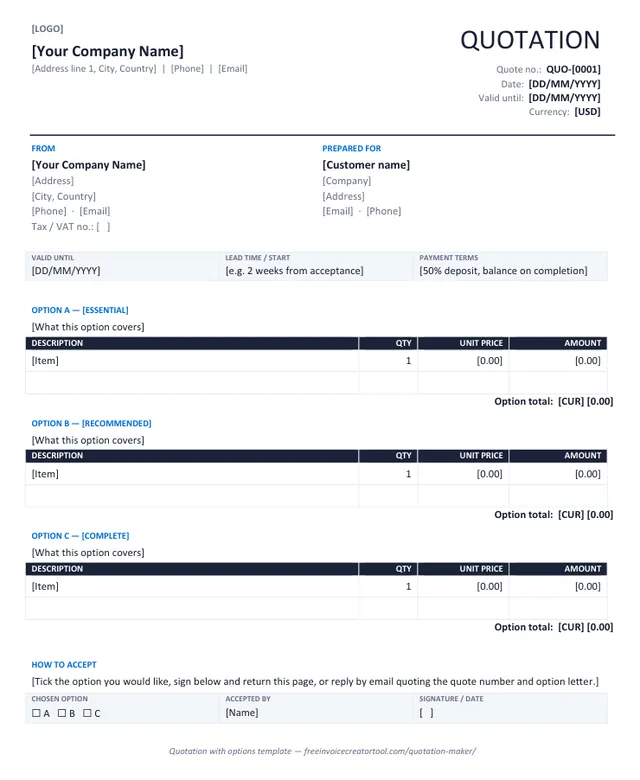
Preview of the quotation with options template in Microsoft Word

Template 6 · Word .docx

Quotation with options

Three priced options — essential, recommended, complete — each with its own lines and total, and a tick box to accept one.

  • Option A, B and C sections with their own tables
  • Option totals
  • Validity, lead time and payment strip
  • How-to-accept note
  • Chosen option, accepted by and signature strip
Download .docx

Step by step

How to customise a quotation template in Word

  1. 1

    Replace the bracketed text

    Everything in square brackets is yours to overwrite: business name, address, quote number, dates, currency. Delete the brackets as you go.

  2. 2

    Add your logo

    Click the [LOGO] text, then Insert → Pictures. Set the picture to In line with text and size it to about 3 cm high.

  3. 3

    Save a master copy

    Save the edited file as your template (File → Save As → Word Template, .dotx) with your standard terms in place, so every new quote starts from it.

  4. 4

    Fill in the quote

    Customer, validity date, lines with unit prices, scope and exclusions. Add rows with Table Layout → Insert Below; delete unused blank rows before sending.

  5. 5

    Type the totals

    Word does not calculate. Subtotal, tax, total and deposit are typed by hand — check them twice, or let the quotation maker do the arithmetic.

  6. 6

    Number it

    Keep quote numbers in their own series (QUO-001, QUO-002) and reference the number on the invoice once the quote is accepted.

  7. 7

    Export and send

    File → Save As → PDF and email it the same day. Never send the editable file.

  8. Rather not maintain a Word file?

    The online quotation maker fills in the same layout, calculates the totals and deposit, and downloads the PDF.

    Open the quotation maker

Know the difference

Word template or online quotation generator?

Word template

  • A file you own and can restyle freely
  • Works offline and inside your existing paperwork
  • You type the amounts, totals and deposit yourself
  • Export to PDF is a separate step
  • Best when the quote must match a company document standard

Online quotation maker

  • Fill in the sheet; layout cannot break
  • Total, tax and deposit calculated for you
  • Valid-until date set from a number of days
  • Output is already an A4 PDF, or prints directly
  • Best for speed — a quote the same day as the site visit

Quotes on your phone, no template needed

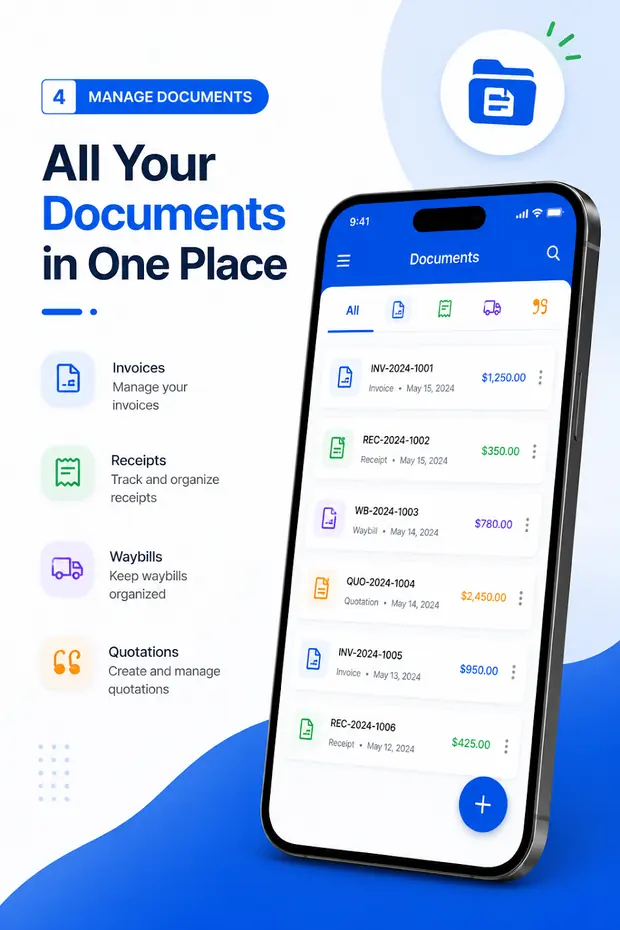
Invoice & Quotation Generator creates quotations, invoices, receipts and waybills on Android with your business details saved once, and exports each one as a PDF.

  • Quotations, invoices, receipts and waybills
  • Customer details saved for reuse
  • Taxes, discounts and automatic totals
  • Export as PDF, then print or share
  • Free, with unlimited documents
Get the Android app
Quotations listed alongside invoices, receipts and waybills in the Android app

Questions

Quotation template FAQ

Are the quotation templates free?

Yes. All six download as ordinary Word files with no signup, no watermark and no licence fee.

Do they work in Google Docs, LibreOffice or Pages?

Yes. They are plain .docx files — tables and text, no macros, no fields — so they open and edit in any modern word processor. Google Docs converts them on upload.

Do the templates calculate totals?

No — a Word document does not do arithmetic. Type the amounts and totals yourself, or use the free quotation maker, which calculates the total, tax and deposit, and downloads the PDF.

Which quotation template should I use?

Standard for most sales; job estimate when the price depends on what you find on site; product price quotation when a buyer sends an RFQ; construction when you need a schedule of works; project when the work runs in phases; options when you want to offer three levels and let the customer choose.

Is there a proforma invoice template?

Yes — it is in the invoice template set, because a proforma is laid out as an invoice. The proforma invoice generator produces one as a PDF.

How do I add my logo?

Click the [LOGO] marker, then Insert → Pictures, choose your file, and set it to In line with text at about 3 cm high. Save the result as your master copy.

Related pages