Free · Editable · No signup

Free Waybill Templates in Microsoft Word (DOCX)

Six customisable waybill templates as Word files: a standard waybill, a courier waybill, a freight consignment note, a delivery note, a multi-drop delivery manifest and an international waybill. Download, add your logo and details, fill in the consignment, and print or save as PDF.

Downloads

The six waybill templates

Each template is a single A4 page in Word. Click a preview to download it, or use the button under the card.

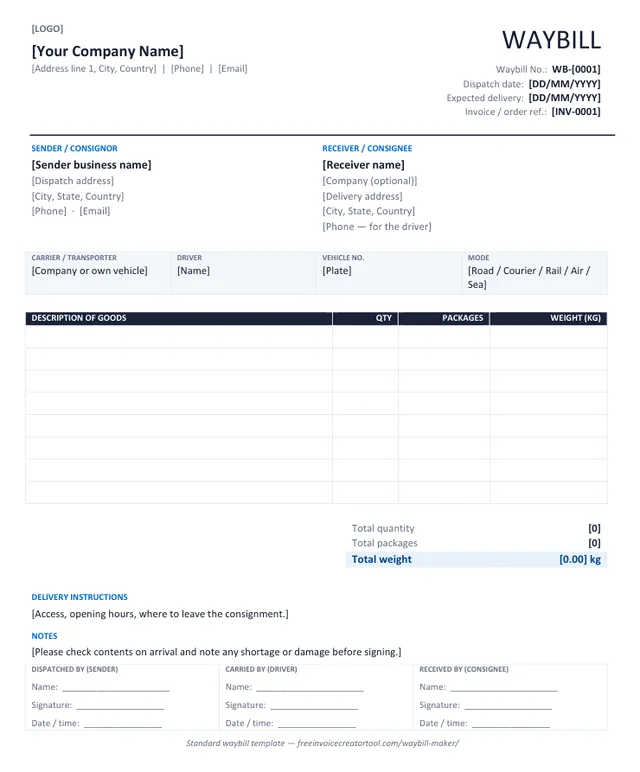
Preview of the standard waybill template in Microsoft Word

Template 1 · Word .docx

Standard waybill

Road, courier and domestic deliveries — the layout most small businesses need.

  • Sender and receiver blocks
  • Carrier, driver, vehicle and mode strip
  • Goods with quantity, packages and weight
  • Totals, delivery instructions and notes
  • Three signature boxes
Download .docx
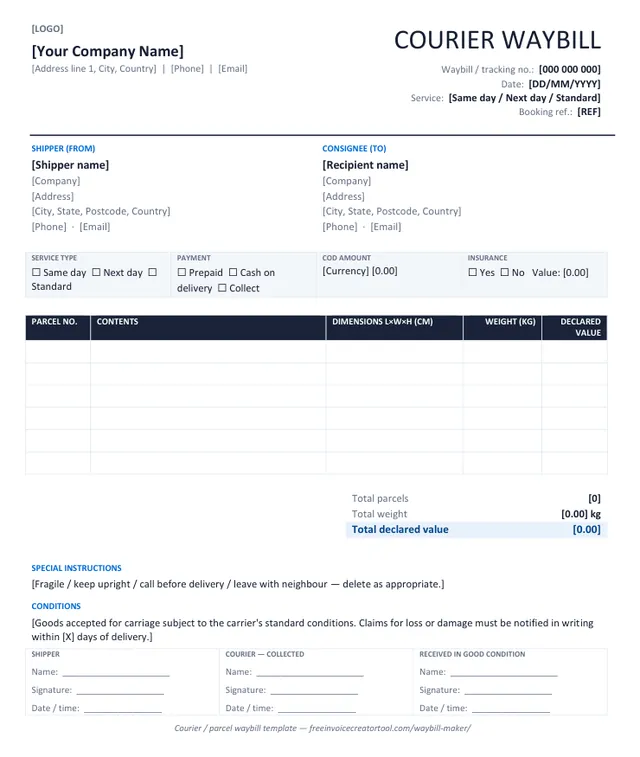
Preview of the courier / parcel waybill template in Microsoft Word

Template 2 · Word .docx

Courier / parcel waybill

Parcel and express shipments with service level, payment and cash-on-delivery.

  • Waybill / tracking number and booking reference
  • Service type and payment tick boxes
  • COD amount and insurance
  • Parcel table with dimensions and declared value
  • Received-in-good-condition signature
Download .docx
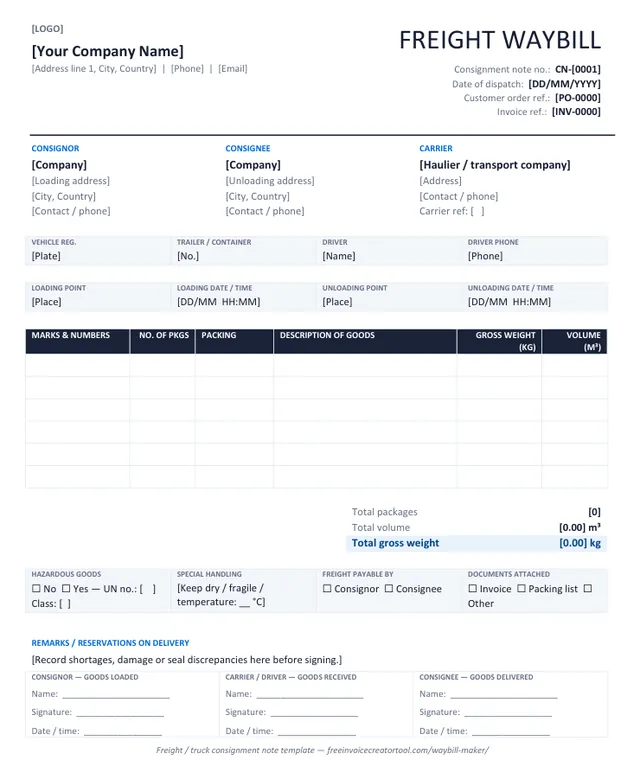
Preview of the freight / truck consignment note template in Microsoft Word

Template 3 · Word .docx

Freight / truck consignment note

Pallets and truckloads: loading and unloading points, hazardous goods, volume and gross weight.

  • Consignor, consignee and carrier side by side
  • Vehicle, trailer, driver and loading / unloading times
  • Marks and numbers, packing, gross weight and volume
  • Hazardous goods, special handling, freight payable by
  • Reservations on delivery
Download .docx
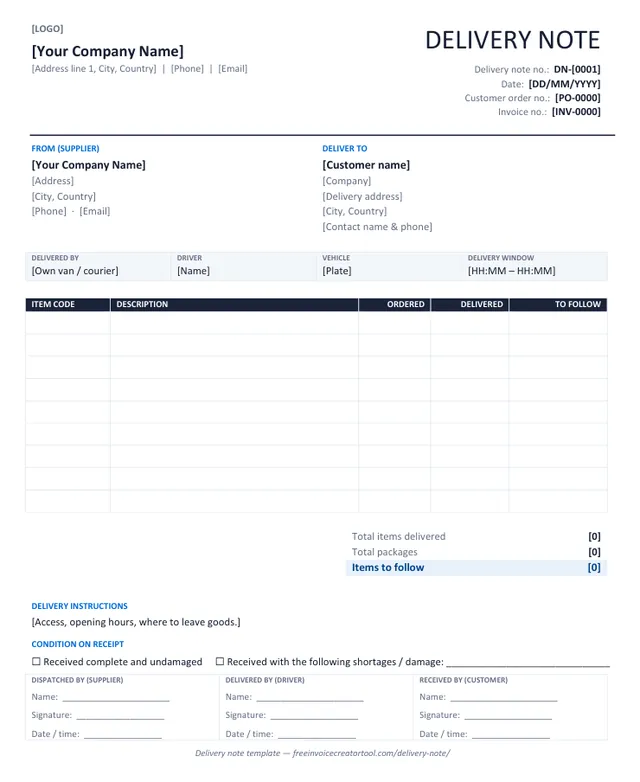
Preview of the delivery note template in Microsoft Word

Template 4 · Word .docx

Delivery note

Sent with an order so the customer can check goods against what they bought.

  • Delivery note number, order and invoice references
  • Supplier and deliver-to blocks
  • Item code, ordered, delivered and to-follow columns
  • Condition-on-receipt tick boxes
  • Supplier, driver and customer signatures
Download .docx
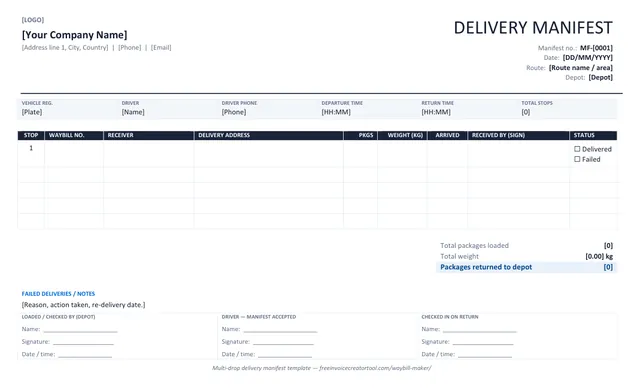
Preview of the multi-drop delivery manifest template in Microsoft Word

Template 5 · Word .docx

Multi-drop delivery manifest

One sheet for a whole route: every stop, waybill number, packages and a signature per drop. Landscape.

  • Vehicle, driver, route and departure / return times
  • One row per stop with waybill number and receiver
  • Packages, weight, arrival time and status per drop
  • Failed deliveries and returns to depot
  • Depot load-check and driver acceptance
Download .docx
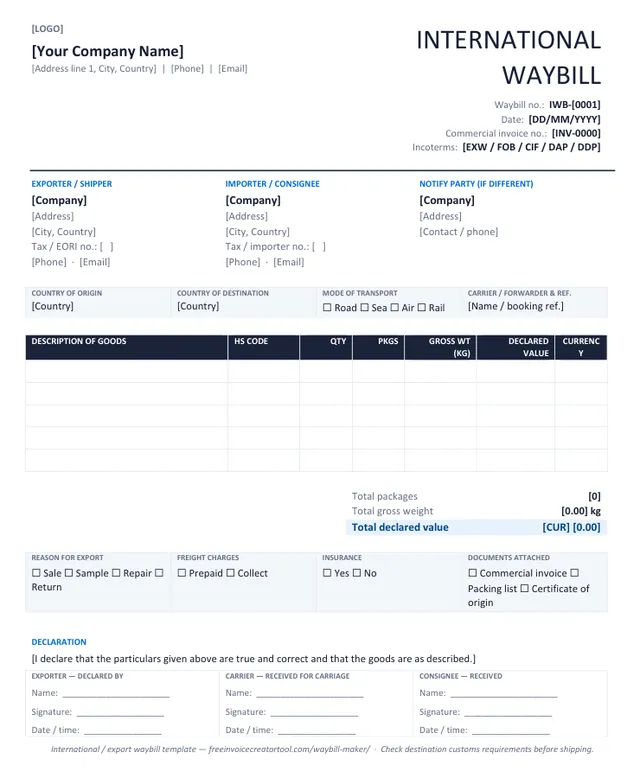
Preview of the international / export waybill template in Microsoft Word

Template 6 · Word .docx

International / export waybill

Cross-border consignments: HS codes, country of origin, Incoterms and declared value.

  • Exporter, importer and notify party
  • Origin, destination, mode and carrier reference
  • HS code, gross weight and declared value per line
  • Reason for export, freight and insurance tick boxes
  • Exporter declaration and signatures
Download .docx

Step by step

How to customise a waybill template in Word

  1. 1

    Replace the bracketed text

    Everything in square brackets is yours to overwrite: company name, address, waybill number, dates. Delete the brackets as you go.

  2. 2

    Add your logo

    Click the [LOGO] text, then Insert → Pictures. Set the picture to In line with text and size it to about 3 cm high.

  3. 3

    Save a master copy

    Save the edited file as your template (File → Save As → Word Template, .dotx) so every new waybill starts with your details in place.

  4. 4

    Fill in each consignment

    Sender, receiver, transport and the goods table. Add rows with Table Layout → Insert Below; delete unused blank rows before printing.

  5. 5

    Number it

    Keep waybill numbers in their own series (WB-001, WB-002) and quote the invoice or order number on the sheet. See waybill numbers.

  6. 6

    Print or export

    Print two copies — one travels with the goods, one comes back signed — or File → Save As → PDF to email it.

  7. 7

    Keep the signed copy

    Photograph it when it comes back. The signed waybill is your proof of delivery.

  8. Rather not maintain a Word file?

    The online waybill maker fills in the same layout, adds the totals and downloads the PDF.

    Open the waybill maker

Know the difference

Word template or online generator?

Word template

  • A file you own and can restyle freely
  • Works offline and inside your existing paperwork
  • You type the totals yourself
  • Export to PDF is a separate step
  • Best when the waybill must match a company document standard

Online waybill maker

  • Fill in the sheet; layout cannot break
  • Package and weight totals calculated for you
  • Output is already an A4 PDF, or prints directly
  • Sender details kept in your browser for the next one
  • Best for speed — a waybill in two minutes

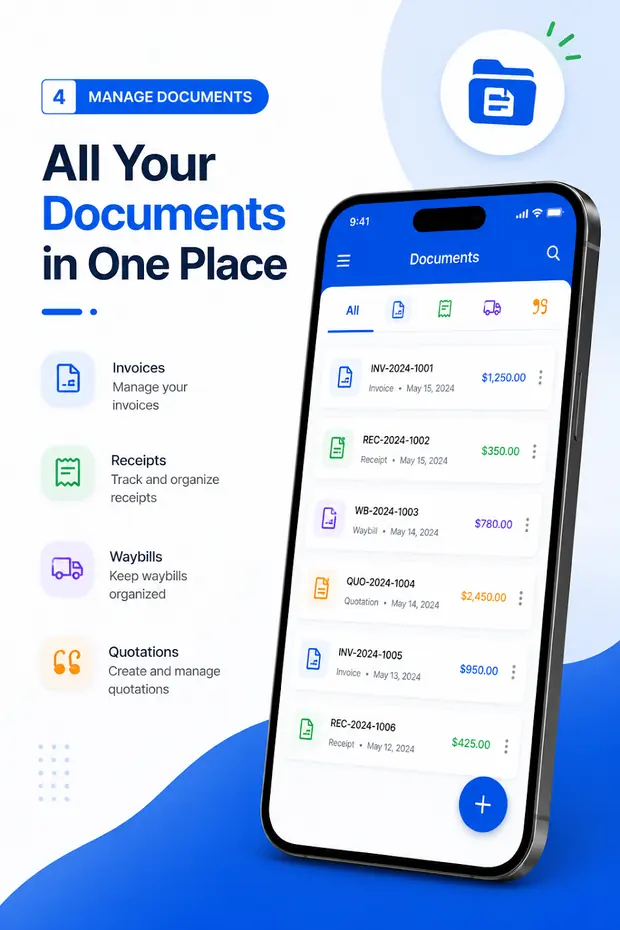
Waybills on your phone, no template needed

Invoice & Quotation Generator creates waybills, invoices, receipts and quotations on Android with your business details saved once, and exports each one as a PDF.

  • Waybills, invoices, receipts and quotations
  • Sender and receiver details saved for reuse
  • Export as PDF, then print or share
  • Free, with unlimited documents
Get the Android app
Waybills listed alongside invoices, receipts and quotations in the Android app

Questions

Waybill template FAQ

Are the waybill templates free?

Yes. All six download as ordinary Word files with no signup, no watermark and no licence fee. Use them for your own consignments as often as you like.

Do they open in Google Docs or LibreOffice?

Yes. They are standard .docx files with plain tables and text — no macros, fields or embedded fonts — so they open and edit in Word, Google Docs, LibreOffice Writer and Pages.

Can I add my logo and company details?

Yes. Replace the [LOGO] marker with your image (Insert → Pictures), overwrite [Your Company Name] and the address line, and save the file as your master copy.

Which template should I use?

Standard for most deliveries; courier for parcels with a service level or COD; freight for pallets and truckloads; delivery note when the document goes with a customer order; manifest when one vehicle makes several drops; international when the goods cross a border.

How do I turn the finished waybill into a PDF?

In Word use File → Save As and choose PDF, or File → Print → Microsoft Print to PDF. Or skip Word entirely: the waybill maker produces the PDF directly and does the totals for you.

Is any of these the GST E-Way Bill?

No. India’s E-Way Bill is generated on the government portal at ewaybillgst.gov.in. These are commercial waybill templates for your own consignments and do not replace it where it is required.

Related pages